Spin the wheel for trade shows: a branded booth game guide
How to run a branded spin-to-win wheel at a trade show: what prizes to put on it, how to control the odds and your stock, where to put the screen, how leads fit in, and what to measure afterwards.
The Arcadedo team, Gametize
9 min read
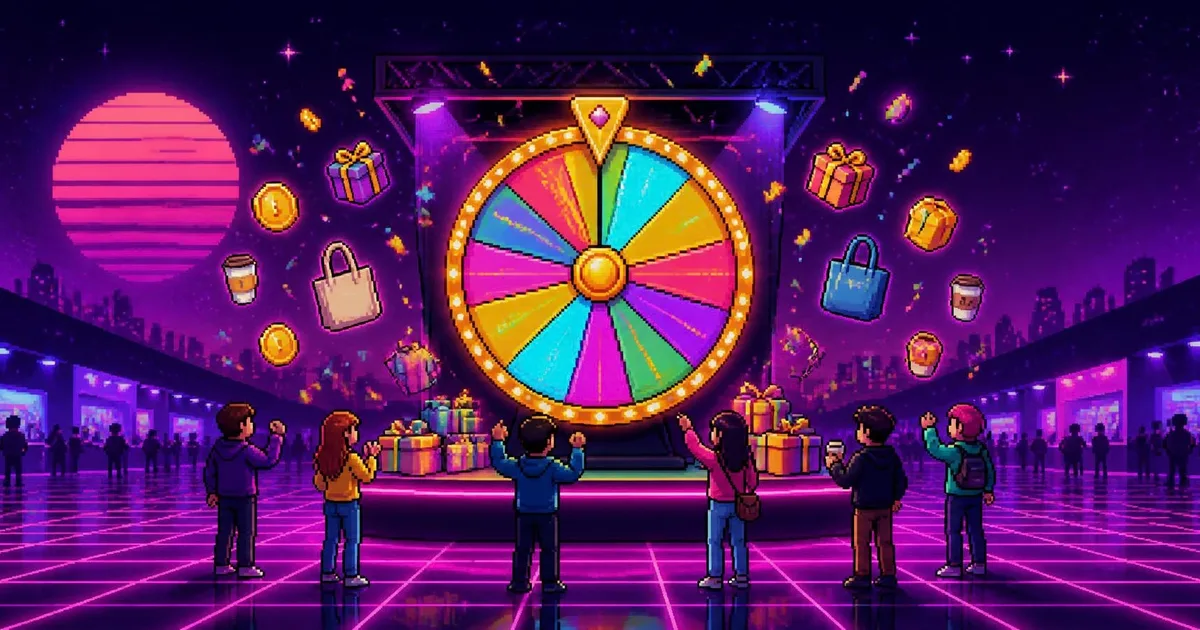
To run a spin-the-wheel game at a trade show, build a branded digital wheel with six to ten prizes, put it on a tablet or screen at the front of your booth, and share the link as a QR code. Control prize stock with repeated slices and remove-the-winner, and pair it with your normal lead capture.
Most booth-game lists give the prize wheel one paragraph. This guide is the whole playbook for a digital, branded wheel: what to put on it, how to keep your best prizes from running out by lunchtime, where the screen should go, how it fits with collecting leads, and how to tell afterwards whether it was worth it. The examples use the Spin the Wheel template, which you can try in your browser before building anything.
Why does a prize wheel work at a trade show?
A prize wheel works because it needs no explanation. Anyone walking past understands "spin to win" in a second, the spin itself creates a small crowd, and the few seconds while it slows down give your staff a natural opening to talk. It turns a walk-past into a stop, and a stop into a conversation.
Three things make it better than most booth games:
- No rules to learn. Quiz games and skill games ask people to commit; a wheel asks for one tap.
- It is a spectacle. Spinning is visible from the aisle, especially on a big screen with sound on, and people stop to watch someone else's spin.
- It is fast. A spin takes a few seconds, so a queue moves and nobody feels trapped.
A digital wheel adds what a cardboard one cannot: your exact brand colours and logo, any number of slices, control over prize stock, and a record of what was won.
How do you make a branded prize wheel for your booth?
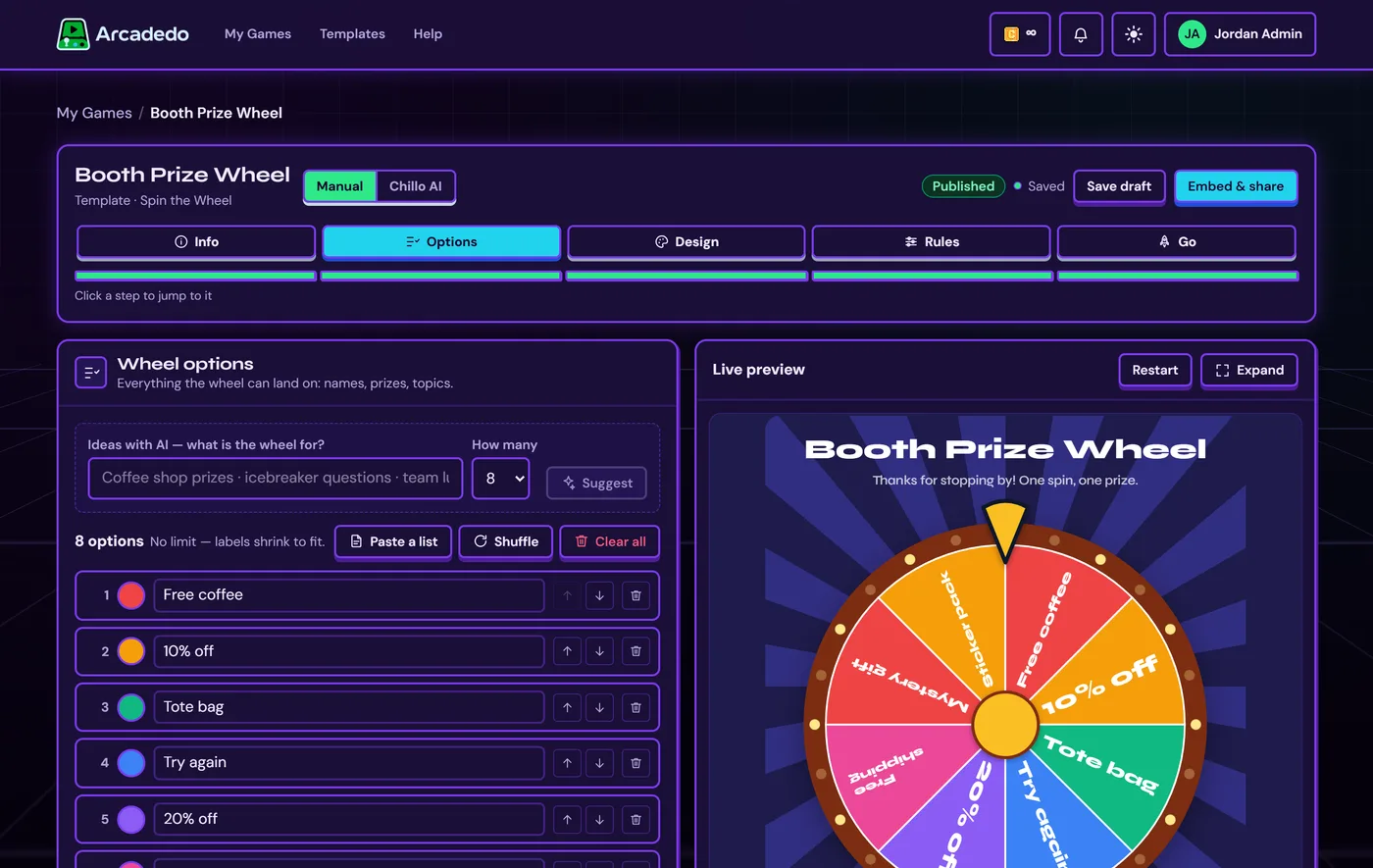
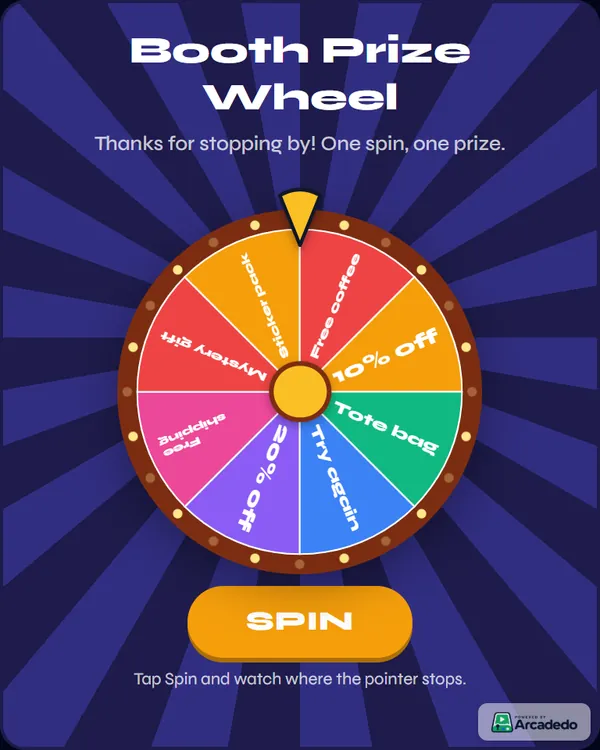
Pick the Spin the Wheel template, add your prizes as options, style the wheel in your brand colours with your logo in the centre, set the spin rules, and publish. In Arcadedo that takes a few minutes and no code, and the published link plays in any browser on a tablet, laptop, big screen or phone.
- Open the template. Go to the game templates, open Spin the Wheel, click Preview & Play to try it, then Use This Template.
- Add your options. In Options, type each prize and click Add, or use Paste a list to drop in a whole column. There is no limit on options; labels shrink or wrap to fit their slice. Each option can have its own colour.
- Design the wheel. In Design, start from a ready-made look, or describe one under Redesign with AI ("our navy and lime brand, neon arcade feel") and the whole wheel is restyled at once for 1 credit. Then fine-tune slice colours, rim lights, pointer, the logo in the hub, and the background: a colour, a pattern or your own image.
- Set the spin rules. In Rules, choose how long a spin lasts (2 to 10 seconds), how many spins each player gets per visit, and whether each winning slice comes off the wheel.
- Publish and copy the link from the Go step.
The full walkthrough, with every setting, is in Build a Spin the Wheel.
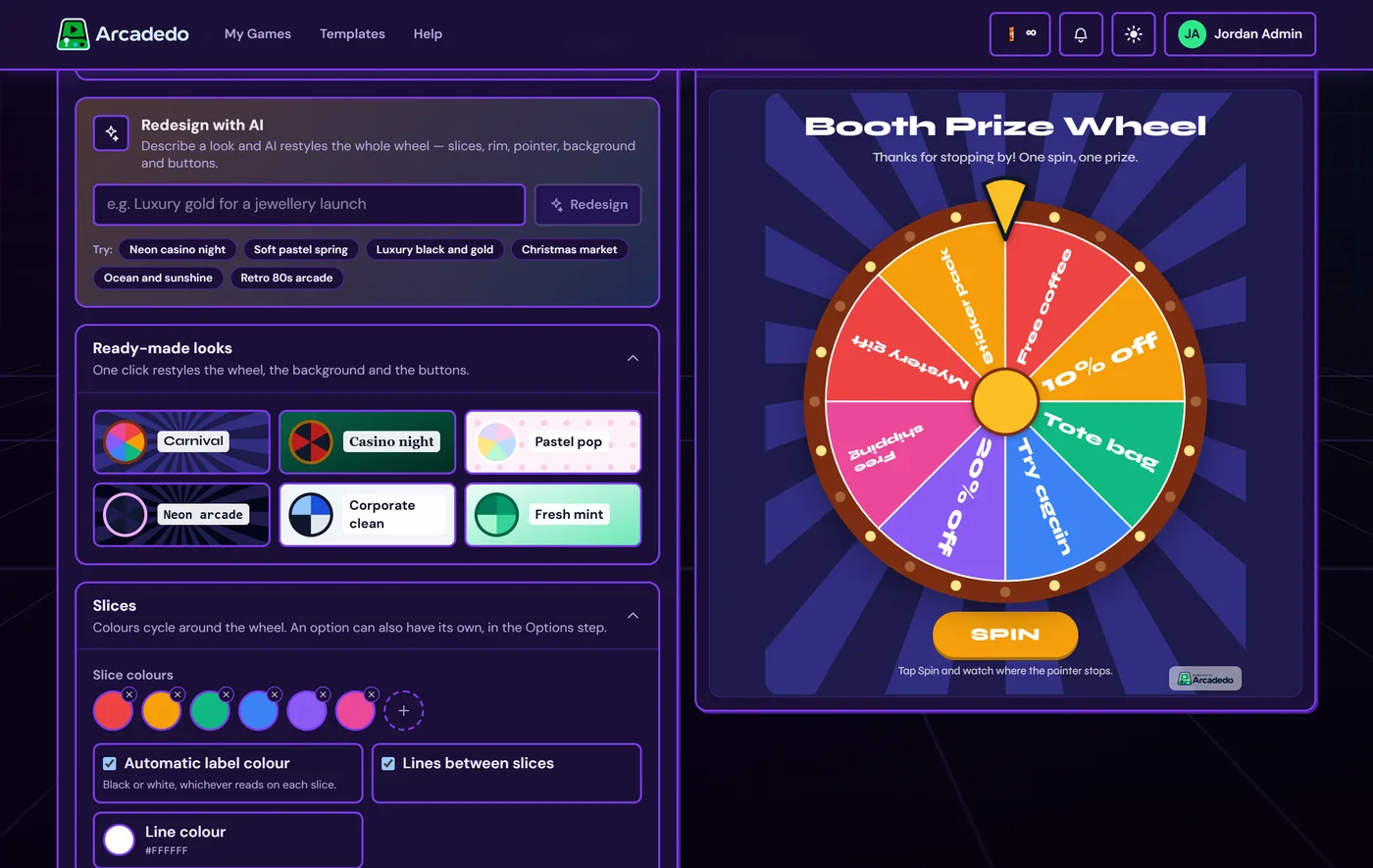
For an event, two extra touches are worth the minute they take: set a featured image on the Go step so the link shows a branded preview card when shared (see share your game link), and consider removing the Arcadedo badge so the screen shows only your brand.
What prizes should go on a trade show wheel?
Mix a lot of small, cheap prizes with a few mid-value ones and one headline prize. Every spin should feel like a win, so most slices should be something people actually take away, such as stickers, sweets, branded pens or a coffee voucher, with the headline prize visible enough to draw people in.
| Tier | Examples | Slices on a 10-slice wheel |
|---|---|---|
| Everyday win | Sticker, sweets, pen, phone stand, tote bag | 5–6 |
| Good win | Branded bottle, power bank, coffee voucher, free trial extension | 3 |
| Headline prize | Headphones, a free plan for a year, dinner for two | 1 |
| Fun slice | "Spin again", "Mystery gift", "High five from the team" | 0–1 |
Avoid "Nothing" or "Better luck next time" slices. At a booth, a losing spin ends the conversation you just started.
How many slices should a prize wheel have?
Six to ten slices reads well from a distance on a booth screen. Fewer looks thin; many more and the labels get small and the headline prize gets lost. If you have more prizes than that, group them ("Swag bag pick") and let staff hand over the specific item.
How do you control how often each prize comes up?
In Arcadedo every option has the same chance on each spin, which is easy to explain if anyone asks whether the wheel is fair. To make a prize more common, add it more than once: three "Sticker" slices on a ten-slice wheel come up three times as often as one "Headphones" slice.
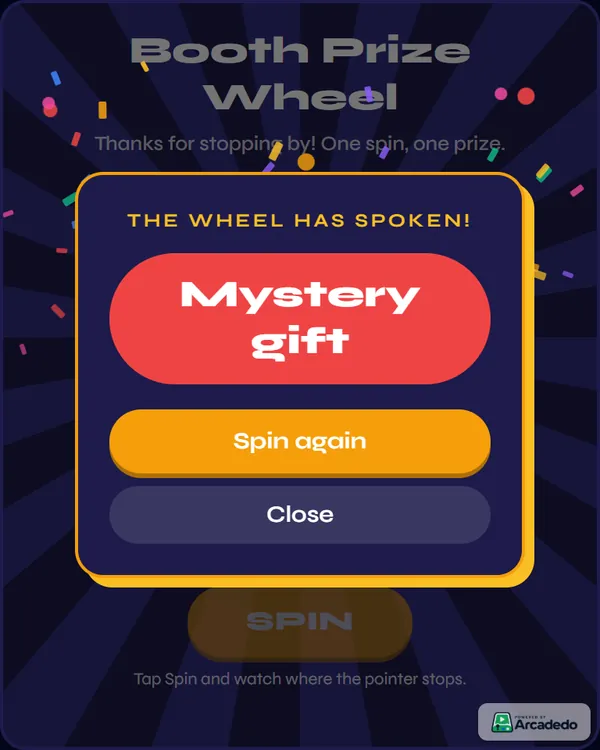
To stop your limited stock running out, turn on remove the winner after each spin: the winning slice comes off the wheel, so a prize you only have one of cannot be won twice. Reloading the page restores the full wheel, so reload at the start of each day or when you restock. Spins per visit caps how many spins one player gets (or set it to unlimited for a staff-run tablet).
How do you set up the wheel at the booth?
Put the wheel on a screen at the front edge of the booth, facing the aisle, with sound on. A tablet on a stand works for small booths; a large monitor or TV draws a crowd from further away. Have one person run the spins and greet people, and put a QR code on a sign so others can spin on their own phones.
The three common set-ups:
| Set-up | Best for | Watch out for |
|---|---|---|
| Tablet on a stand, staff-run | Small booths, one-at-a-time spins | Keep it charged and on a stand, not handheld |
| Big screen, spin from a laptop or tablet | Larger booths, crowd-drawing | Mirror the screen; test the cable before doors open |
| QR code on signage, spin on phones | Busy shows, queues | Phones can reload for another go; check the prize at the counter |
The link is an ordinary web page, so the device needs an internet connection. Venue Wi-Fi is often overloaded; bring a phone hotspot as a backup. Arcadedo does not generate QR codes itself, but any QR code generator will turn the game link into one for your sign and staff badges.
A simple staff script keeps the line moving: invite ("Want to spin for a prize?"), qualify while it spins ("What brings you to the show?"), hand over the prize, and move on or book a follow-up.
How do you get leads from a spin-the-wheel game?
Use the wheel to start the conversation and your existing tools to capture the lead. Arcadedo's wheel does not have a sign-up form, so scan the visitor's badge or fill in your usual lead form before or after they spin. The wheel's job is to get them to stop; your team's job is the follow-up.
In practice:
- Scan first, then spin. "Let me scan your badge and you can spin" is a fair trade most visitors accept.
- Qualify during the spin. One question while the wheel slows down tells you whether this is a lead or just a visitor.
- Make the headline prize a draw. Instead of one prize on the wheel, the headline slice becomes "Entry into the end-of-show draw", which gives people a reason to leave their details.
- Check local rules. Prize promotions and draws are regulated differently from country to country. If the prize is valuable or you are running a draw, check what applies where the show is held.
What else can a booth wheel do besides prizes?
The same wheel can pick demo topics, choose a question for a live quiz, run an end-of-day raffle with remove-the-winner on, or pick names for a presenter's giveaway. And if you want visitors to learn something about your product, pair the wheel with a short quiz game: answer three questions, then spin.
Some ideas:
- Demo picker: each slice is a feature; the visitor spins and you demo that one.
- Raffle draw: paste in the names from your draw entries, turn on remove-the-winner, and spin live on stage.
- Knowledge first: a two-minute Turbo Quiz Racer on your product, then a spin for anyone who finishes. Our guide to choosing the right game template compares every format.
- Beyond events: the same wheel works as an icebreaker or name picker in internal sessions; see our onboarding games ideas.
How do you measure a booth wheel afterwards?
Compare spins with the leads and conversations your team logged. The game's analytics show the number of spins, spins per player and which options the wheel landed on, which tells you how busy the booth was and how fast prizes went. Leads per spin is the number that says whether the wheel was worth it.
After the show:
- Spins tell you how many interactions the wheel created. Compare day by day and hour by hour against your staff notes.
- Where it landed shows which prizes went, so you can reconcile stock and plan the next order.
- Leads per spin (from your badge scans or form) tells you whether spins turned into conversations.
- Reuse it. A published game keeps the same link, so you can update the prizes and colours for the next event without reprinting the QR code.
If you run games for learning as well as events, our guide to gamification in employee training covers the other side of the toolkit.
Frequently asked questions
Is a digital prize wheel fair?
In Arcadedo, yes: every option has the same chance on each spin. If you repeat a prize on several slices, it comes up more often, so be open about how the wheel is set up if anyone asks.
Can visitors spin on their own phones?
Yes. The game link plays in any mobile browser, so a QR code on your sign or staff badges lets visitors spin on their phones. Spin limits reset if someone reloads the page, so check the result screen before handing over a prize.
Does the wheel work without Wi-Fi?
No. The wheel is a web page, so the device needs a connection. Bring a phone hotspot as a backup, because venue Wi-Fi is often busy.
How much does a branded prize wheel cost?
Building and hosting the game in Arcadedo is free. Credits are only used for optional AI help, such as Redesign with AI at 1 credit, and for removing the small Arcadedo badge. See how credits work.
Can I reuse the wheel at the next event?
Yes. Edit the options and design any time; the link stays the same, so printed QR codes keep working and players on the link see your changes.