Best gamification tools for employee training: seven options by type
Seven gamification tools for employee training, sorted into the four types that actually differ: an LMS with gamification, a frontline platform, a live quiz tool and a game builder. With who each one suits, what the vendors publish about price, and where Arcadedo does not fit.
The Arcadedo team, Gametize
9 min read

The best gamification tool for employee training depends on what you need to gamify. To add points and badges to courses, use an LMS such as TalentLMS. For daily frontline training at scale, look at Axonify or Centrical. For live sessions, use Kahoot. To turn your own content into short games, use a builder such as Arcadedo or The Training Arcade.
Most lists on this topic put ten or fifteen products in one ranking, as if a learning management system, a live quiz app and a game builder were the same purchase. They are not. This guide sorts seven tools into four types, says who each one suits and tells you what the vendor publishes about price. Two disclosures: Arcadedo is our product, and Gametize, also on the list, is the company that makes it. Every vendor fact below was read on that vendor's own site on 13 October 2026; check the linked pages before you buy.
What is a gamification tool for employee training?
A gamification tool for employee training is software that adds game mechanics, such as points, levels, badges, leaderboards, timers and replays, to learning at work. Some tools add those mechanics around courses you already have. Others put the content inside a game. The difference decides what you are buying, so settle it before you compare products.
Four types cover almost everything on the market: an LMS with gamification built in, a frontline or performance platform, a live quiz tool, and a game or challenge builder.
Our guide to gamification in employee training explains the mechanics and the research behind them. This article is about choosing the software.
What are the best gamification tools for employee training?
The seven tools below are the ones worth a first look, each for a different job: TalentLMS, Axonify, Centrical, Kahoot! 360, Gametize, The Training Arcade and Arcadedo. None is best overall. Pick the type that matches your situation first, then compare the one or two tools inside that type.
| Tool | Type | Best for | Price, as published on 13 Oct 2026 |
|---|---|---|---|
| TalentLMS | LMS with gamification | Small and mid-sized teams that need courses, records and some motivation | Free plan for up to 5 users and 10 courses; Core plan listed at $119 per month |
| Axonify | Frontline platform | Retail, logistics and other large frontline workforces | Three tiers; quote only |
| Centrical | Performance platform | Contact centres and sales teams with clear KPIs | Quote only |
| Kahoot! 360 | Live quiz tool | Kick-offs, workshops and onboarding days with a host | From $19 per presenter per month, billed annually, up to 50 participants |
| Gametize | Challenge platform | Campaigns that mix quizzes with real-world tasks and rewards | Free Basic plan; paid plans on its pricing page |
| The Training Arcade | Game builder | L&D teams that want game-show formats | Annual subscription; free trial |
| Arcadedo | Game builder | Short branded practice games anyone can build in an hour | Free to build, host and publish; optional credit packs from $9 |
One name is missing on purpose. Many lists still recommend EdApp, later renamed SC Training. When we checked, its site redirected to Mitti by SafetyCulture, which describes itself as an operations system for frontline teams, so confirm what is on sale today before you shortlist it.
Which type of gamification tool do you need?
Match the tool to the gap. If you have no system for courses and records, you need an LMS. If you have one and people skim it, you need practice content, which means a game builder or a live quiz. If the problem is daily habits across thousands of frontline staff, you need a platform.
| Your situation | Type to look at |
|---|---|
| No central place for courses, enrolment or completion records | LMS with gamification |
| An LMS already, but modules are skimmed and forgotten | Game builder, embedded in or linked from the LMS |
| Live sessions that need more energy | Live quiz tool |
| Thousands of frontline staff who train in short daily bursts | Frontline or performance platform |
| A campaign with tasks, teams and prizes, not only quizzes | Challenge platform |
| One topic to refresh this month, with no budget approval | Game builder with a free plan |
Buying the wrong type is the expensive mistake. A new LMS will not make a dull module memorable, and a game will not give you an audit trail.
When is an LMS with gamification enough?
An LMS with gamification is enough when your main need is to deliver courses and prove who completed them, and you want a light layer of motivation on top. Points, badges and leaderboards reward progress through the catalogue. They do not change what happens inside a course, so the content still has to be good.
TalentLMS is the usual starting point for smaller teams because its prices are public and gamification is included in every plan, the free one too. Its gamification page lists points and levels, badges, leaderboards and rewards. The free plan covers up to 5 users and 10 courses with no time limit, which is enough to test with one team.
The limit is the one the research keeps finding. A 2025 review of 49 workplace studies in the Journal of Workplace Learning reports gains in engagement and retention, and says plainly that results depend on design quality and fit. If badges sit on a forty-slide module, keep the LMS and change the practice inside it.
Which gamification tools suit frontline and large teams?
For large frontline workforces, the specialist platforms are Axonify and Centrical. Both are built for training that happens in minutes during a shift and is measured against the job, and both are sold by quote to enterprises.
- Axonify calls itself an "AI-powered frontline enablement platform" and describes its audience as people working "on the floor, in stores, on routes". It appears on almost every list of gamification tools, although its own home page now leads with microlearning. It offers three tiers and a quote builder; no prices are published.
- Centrical describes software that helps enterprises "improve frontline employee performance", with modules for gamification, microlearning and performance management. Its games are tied to KPIs, so it fits contact centres and sales floors where those numbers already exist.
If you have fifty people and one policy to refresh, both are more than you need.
Which tools turn your own content into games?
Use a live quiz tool when a host and a group play together, a challenge platform when the activity is a campaign with tasks and rewards, and a game builder when each person should practise alone and replay. Kahoot! 360, Gametize, The Training Arcade and Arcadedo each cover one of those jobs.
Kahoot! 360 is the business edition of Kahoot: a presenter shows a question and everyone answers on their phone against the clock. It is strong in the room and weaker when staff cannot attend at the same time; we compare the options in Kahoot alternatives for corporate training.
Gametize builds campaigns out of challenges: quizzes, photo and QR-code tasks and predictions, with points, a leaderboard and rewards to redeem. Choose it when you want people to do things in the real world over several weeks, not only answer questions.
The Training Arcade, from ELB Learning, has twelve templates you fill with your own content, including JEOPARDY! and Wheel of Fortune.
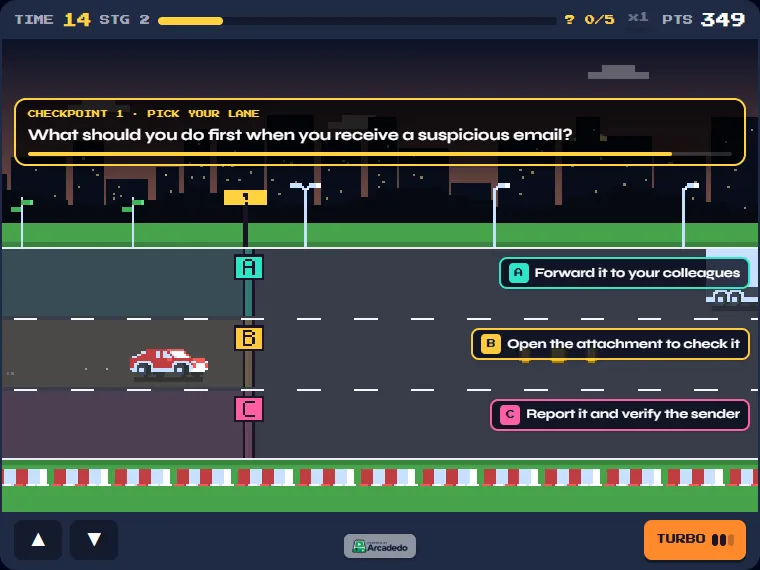
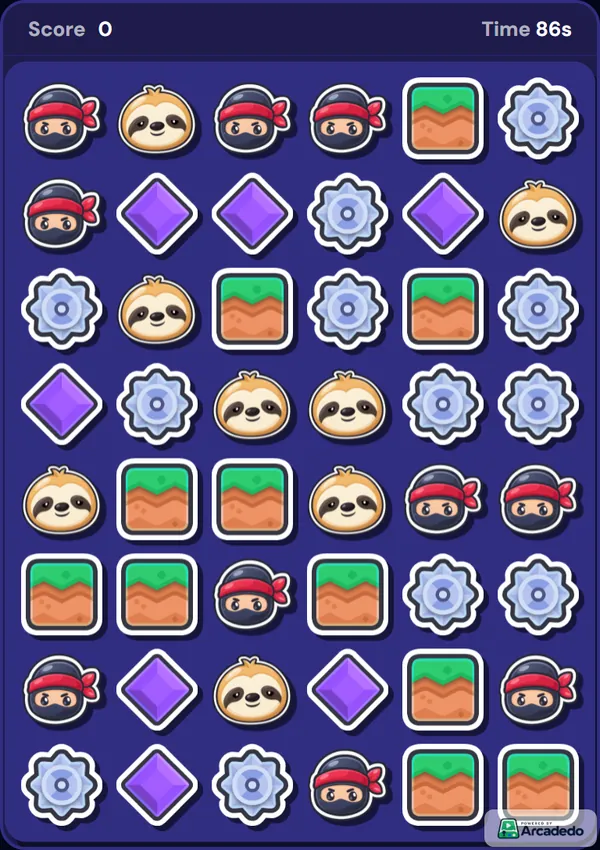
Arcadedo turns questions into short arcade games with your logo and colours. There are eleven templates, among them a highway racer (Checkpoint Rush), a match-3 board (Star Match), a swipe deck (Real or Fake) and a prize wheel (Spin the Wheel).
Where does Arcadedo fit, and where does it not?
Arcadedo fits when you already have somewhere to host training and need something people will actually replay: a two-minute game on one topic, built in under an hour without code, shared as a link or embedded. It does not replace an LMS, a live quiz tool or a frontline platform.
What it does not do:
- No named results. Analytics are anonymous totals: plays, completion rate, pass rate and the most-missed questions. If a score has to go on a person's record, use your LMS; see a quiz or a game as a knowledge check.
- No courses, enrolment or certificates. It makes the practice activity, not the curriculum.
- No live host mode. Each person plays alone, in their own time.
- No platform-wide points or badges. The score belongs to one game.
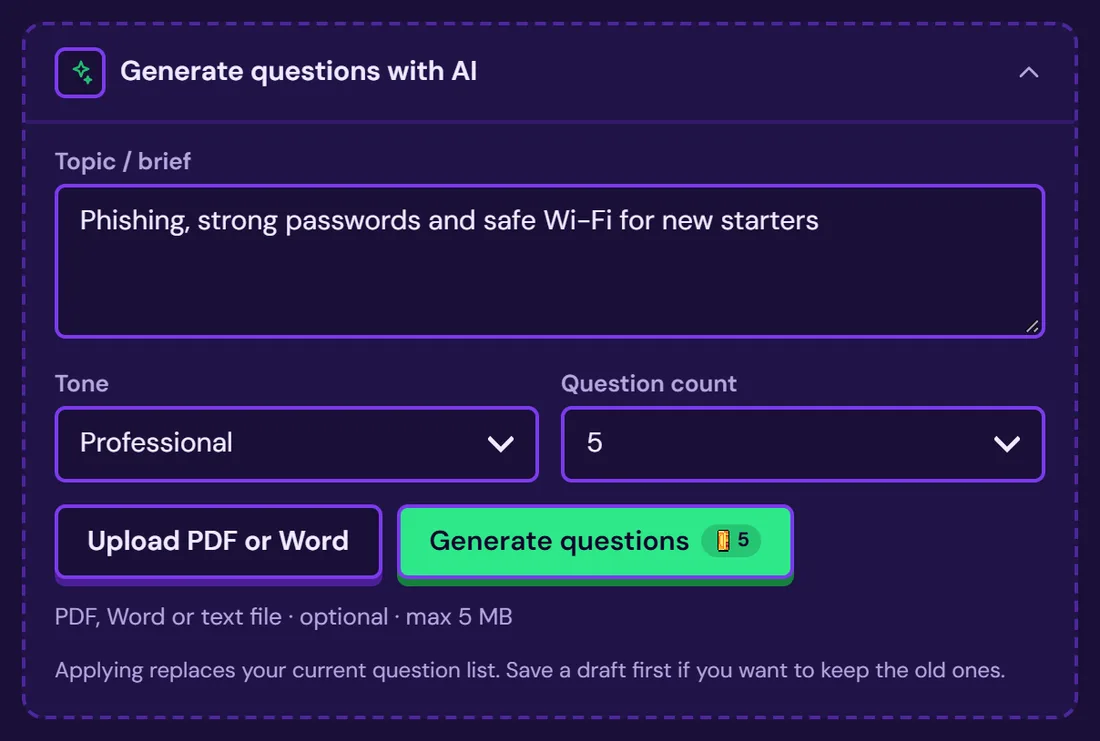
What it does well: quiz games show your explanation after every answer, AI can draft the questions from a policy or deck you upload (Add questions or facts), and a published game keeps the same link when you edit it. Building, hosting and publishing are free; credits pay only for AI help and for removing the small Arcadedo badge (how credits work).
It also pairs with the other types. Link a game from an LMS course as the practice step, or embed it in a Gametize campaign as one of the challenges.
How much do gamification tools cost?
Published prices run from free to a quote. TalentLMS, Gametize and Arcadedo have free plans. Kahoot! 360 starts at $19 per presenter per month, billed annually. TalentLMS lists its Core plan at $119 per month. Axonify and Centrical publish no prices, which normally means an annual contract sized to your headcount.
Two things change the real cost more than the list price:
- What you are charged for. Per learner, per presenter or per builder. Ten trainers on a per-presenter plan cost ten licences.
- Who makes the content. A platform with no content is an empty room. Count the hours to build and maintain the questions.
How do you choose a gamification tool?
Choose by working backwards from one training problem, not from a feature list. Name the topic, the audience and what people should do differently afterwards. Then decide which type of tool that needs, shortlist two products and run a two-week pilot with one real team before you sign anything.
- Write down the outcome. For example: "Store staff can name the three steps for a refund without checking."
- Check what you already own. Many LMSs include points and badges that nobody has switched on.
- Pick the type from the table above.
- Decide whether results must be named. That single answer rules out half the list.
- Pilot with real content. Ten questions on one topic tell you more than a demo. Our guide to compliance training games shows what a pilot can look like.
- Read the numbers after two weeks. Completion and the questions people miss. Then decide.
To try the game-builder route today, open the game templates, play one, and follow Create your first game.
Frequently asked questions
What is the best free gamification tool for employee training?
It depends on the type. TalentLMS has a free plan for up to 5 users and 10 courses. Gametize has a free Basic plan for challenge campaigns. Arcadedo is free to build, host and publish games, with no limit on the number of games. Free plans change, so check each pricing page.
Is an LMS a gamification tool?
Not by itself. An LMS delivers courses and records who completed them. Many, such as TalentLMS, include gamification features like points, badges and leaderboards, which reward progress through the courses. To make the learning itself game-like, add practice games or live quizzes to the content.
Do gamification tools actually improve training?
On average, yes, by a modest amount. A meta-analysis by Sailer and Homner (2020) found small but significant positive effects of gamification on learning outcomes. Most of those studies were in education, and results depend on design, so pilot before you scale.
Can you gamify training without an LMS?
Yes. A game builder or live quiz tool works from a link or a join code, so you can share it in email, chat or a meeting. You will not get enrolment, deadlines or a named completion record, which is fine for practice and refreshers and not enough for mandatory training.