How to turn a PDF policy into a quiz game
Turn a PDF policy or manual into a quiz game: upload it, let AI draft the questions, cut the trivia, add explanations, pick a game and publish. A step-by-step guide with screens and a review checklist.
The Arcadedo team, Gametize
7 min read

To turn a PDF policy into a quiz game, upload it in Arcadedo's Content step, let AI draft questions, then delete the trivia, add a one-line explanation to each question, pick a game template, brand it and publish. Expect about 15 minutes for five to ten questions. Review every question before players see it.
Most PDF-to-quiz tools stop at a list of questions. A list is not training: nobody opens a quiz link for fun. This guide takes you from a policy document to a branded game people can play on a phone, and spends most of its time on the step the other guides skip, which is making sure the questions are worth asking.
Can you turn a PDF into a quiz game?
Yes. Arcadedo reads a PDF, Word (.docx) or text file up to 5 MB and drafts multiple-choice questions from it. You then choose a quiz-based game, such as a car race or a highway racer, and the questions become the checkpoints players answer. Building and hosting the game is free; the AI draft costs credits.
The AI gives you a first draft, not a finished product. Policies are full of definitions, dates and exceptions, and a model will happily quiz on all of them. The skill is in choosing which five to ten rules deserve a question. If you want the wider picture first, read our guide to gamification in employee training.
How do you prepare a policy PDF for question generation?
Trim the document to the part you want people to remember, and use a file with real, selectable text. A 40-page handbook produces scattered questions; the two pages on reporting a data breach produce focused ones. One game should cover one outcome.
Do these four things before you upload:
- Pick one outcome. "Staff can name the three steps for reporting a data breach" is a good target. "Know the handbook" is not.
- Cut the file down. Export only the relevant pages, or save the section as its own file. Remove cover pages, legal boilerplate and revision tables.
- Check the text is selectable. Click and drag over a sentence in your PDF viewer. If you cannot highlight it, the file is a scan; use the original Word file or paste the text instead.
- Stay under 5 MB. Large images are the usual cause of oversized files.
How do you turn a PDF into a quiz game, step by step?
Create a game from a quiz template, open the Content step, upload the file in the Generate with AI panel, set the tone and number of questions, review the draft, then brand and publish. Each step below takes a few minutes, and none of it needs code.
- Choose a quiz-based template (2 minutes). Open the templates, click Preview & Play on one, then Use This Template. Turbo Quiz Racer is the safest default for policy content. Not sure? See how to choose a game template.
- Upload the PDF (1 minute). In the Content step, click Generate with AI, upload your file, pick a tone and how many questions you want, and click Generate questions. Five to ten is the right range.
- Review the draft (5 minutes). Read every question and answer against the source. The checklist in the next section shows what to fix.
- Add explanations (3 minutes). One sentence per question saying why the right answer is right, ideally quoting the rule.
- Brand it (2 minutes). Upload your logo and pull your colours from it in the Brand step. See Brand your game.
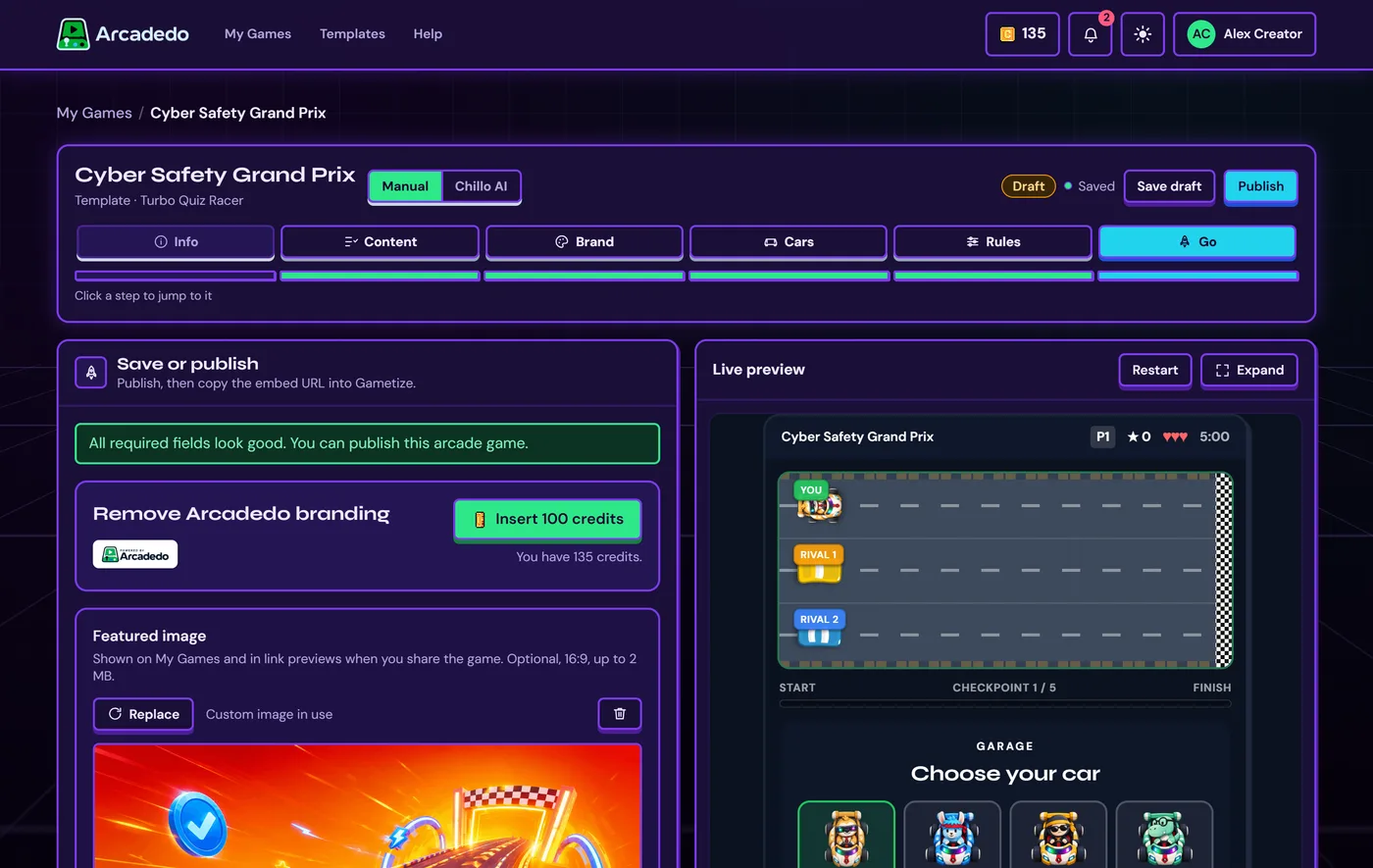
- Publish and share (2 minutes). Open the Go step, clear anything listed at the top, and click Publish. Then copy the link or embed it in Gametize.
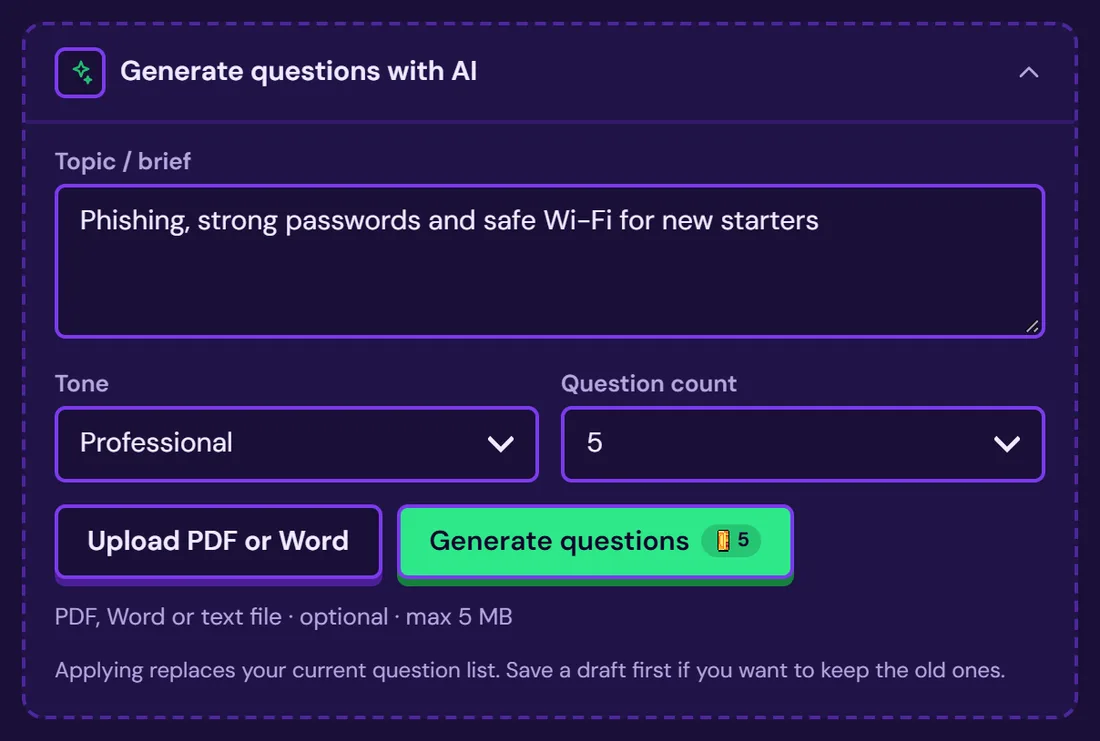
Generating replaces your current question list and costs 5 credits per batch, refunded automatically if it fails. Credits are explained in How credits work, and the Content step is covered in Add questions or facts.
How do you check AI-generated questions?
Check each question against the source, then fix it, rewrite it or delete it. Policy text produces predictable problems: trivia, trick wording, obvious wrong answers and questions that depend on context players will not have. Cutting three weak questions improves the game more than keeping all ten.
| What the draft does | Why it hurts | What to do |
|---|---|---|
| Asks for a date, a form number or a clause number | Tests memory for trivia, not behaviour | Delete it, or ask what the person should do instead |
| Uses "which of the following is NOT" wording | Slows people down and trips up readers who know the rule | Rewrite as a positive question |
| Offers wrong answers that are obviously silly | Teaches nothing when the right answer is a giveaway | Replace them with the mistakes people really make |
| Quotes the policy word for word | Players recognise phrasing instead of understanding the rule | Turn it into a short scenario |
| Asks about a rule that changed or is out of date | Teaches the wrong thing, confidently | Check it against the current policy owner |
| Repeats the same fact twice | Wastes a slot in a short game | Keep the better version |
Replace at least two questions with scenarios. "A supplier emails new bank details and asks you to pay today. What do you do first?" tests the policy in the way staff will meet it. You can edit every generated question in the Content step.
Before publishing, ask the policy owner to read the final set. They will spot a wrong answer faster than you will, and it gives them a stake in the result. Our guide to turning a quiz into a game covers writing wrong answers that teach.
Which game format suits a policy quiz?
Use a quiz-based format and keep the first run simple. Turbo Quiz Racer suits compliance and onboarding because players answer at each checkpoint and see an explanation after every answer. Checkpoint Rush suits quick refreshers: each lane is an answer and players drive into the right one.
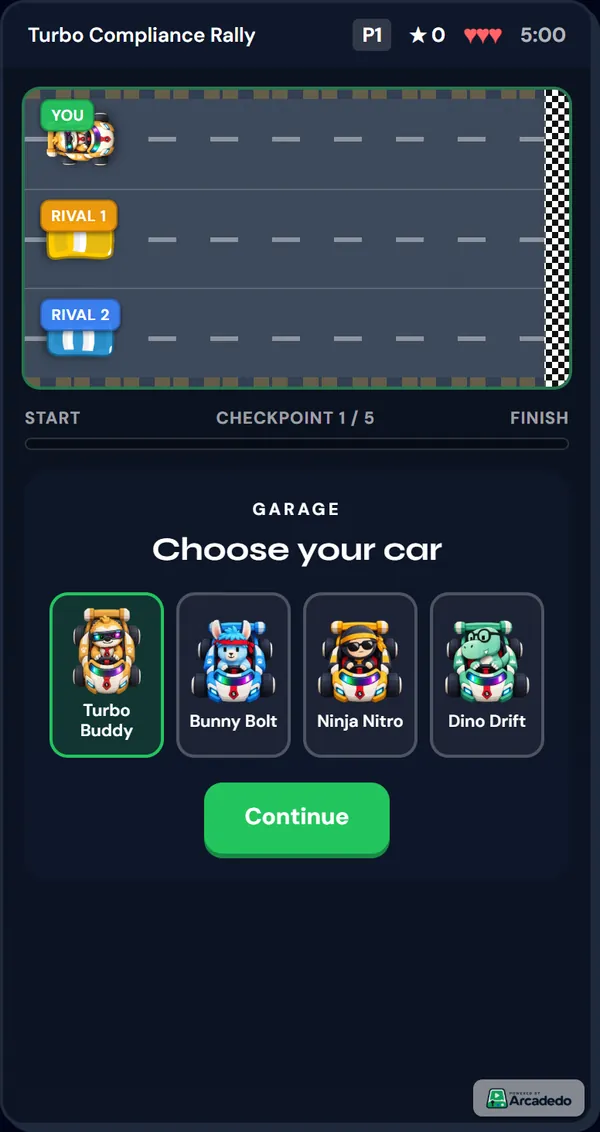
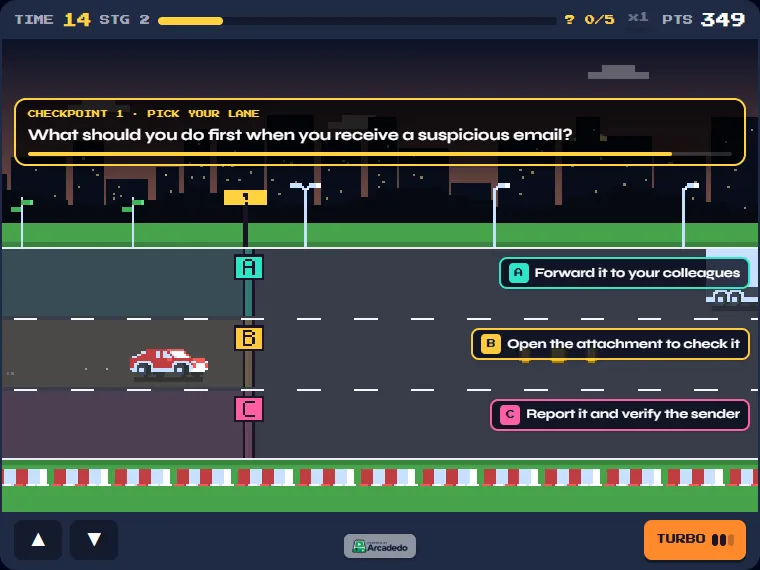
If a result will go on someone's record, a plain quiz is easier to defend than a game with lives and timers. Our comparison of a quiz or a game as a knowledge check goes through the trade-offs. For a first run, Checkpoint Rush or Turbo Quiz Racer with a pass mark around 70 to 80 percent is a sensible choice.
Why quiz on a policy at all?
Because answering questions strengthens memory more than re-reading does. In a classic experiment, Roediger and Karpicke (2006) found that students who were tested on a passage remembered more a week later than students who studied it again. A policy PDF that staff open once and tick "read" gets the weaker treatment.
The study is Test-enhanced learning: taking memory tests improves long-term retention, published in Psychological Science. It used short prose passages with students, not workplace policies, so treat it as evidence for the principle of retrieval practice rather than a promise of a particular result.
A game adds two things on top of the quiz: a reason to try again, and instant feedback after every answer. After launch, the analytics page lists the questions players miss most, and those are the parts of the policy that have not landed. Rewrite them or re-teach them, and you can edit a published game so players on the same link see the changes.
Frequently asked questions
Can AI make a quiz from a PDF?
Yes. In Arcadedo you upload a PDF, Word (.docx) or text file up to 5 MB, choose a tone and a number of questions, and AI drafts them. Review every question against the source before you publish.
How many questions should I generate from a policy?
Five to ten per game. A long policy is better split into several short games, each with one outcome, than squeezed into one long one. Short runs invite replays, and replays are where the practice happens.
How much does it cost to turn a PDF into a quiz game?
Building and hosting the game is free. Generating questions with AI costs 5 credits per batch, refunded if the request fails. Credits also pay for removing the Arcadedo badge.
Does it work with scanned PDFs?
Use a PDF with selectable text for the best results. If you cannot highlight text in your viewer, the file is probably a scan: use the original Word file, or paste the text in.
Can I use the game for compliance training records?
A game is good for practice and refreshers. If a result must be recorded as formal assessment, a plain quiz without lives or timers is easier to defend, so check what your compliance team requires.