
Arcadedo
TemplatesBlogHelp
Sign In
  1. Help
  2. /Publish & share
  3. /Publish your game

Getting started

  • How Arcadedo works
  • Create your first game
  • Find your way around the editor
  • Common questions

Build your game

  • Add questions or facts
  • Brand your game
  • Change characters and artwork
  • Build a Spin the Wheel
  • Build a Word Search
  • Build a Checkpoint Rush
  • Set up with Chillo AI

Publish & share

  • Publish your game
  • Embed in Gametize
  • Share your game link

Credits

  • How credits work
  • Remove the Arcadedo badge
All help topics

Publish & share

Publish your game

Clear the checks on the Go step, then publish.

  1. 1

    Open the Go step

    Anything missing is listed at the top. Fix those first.
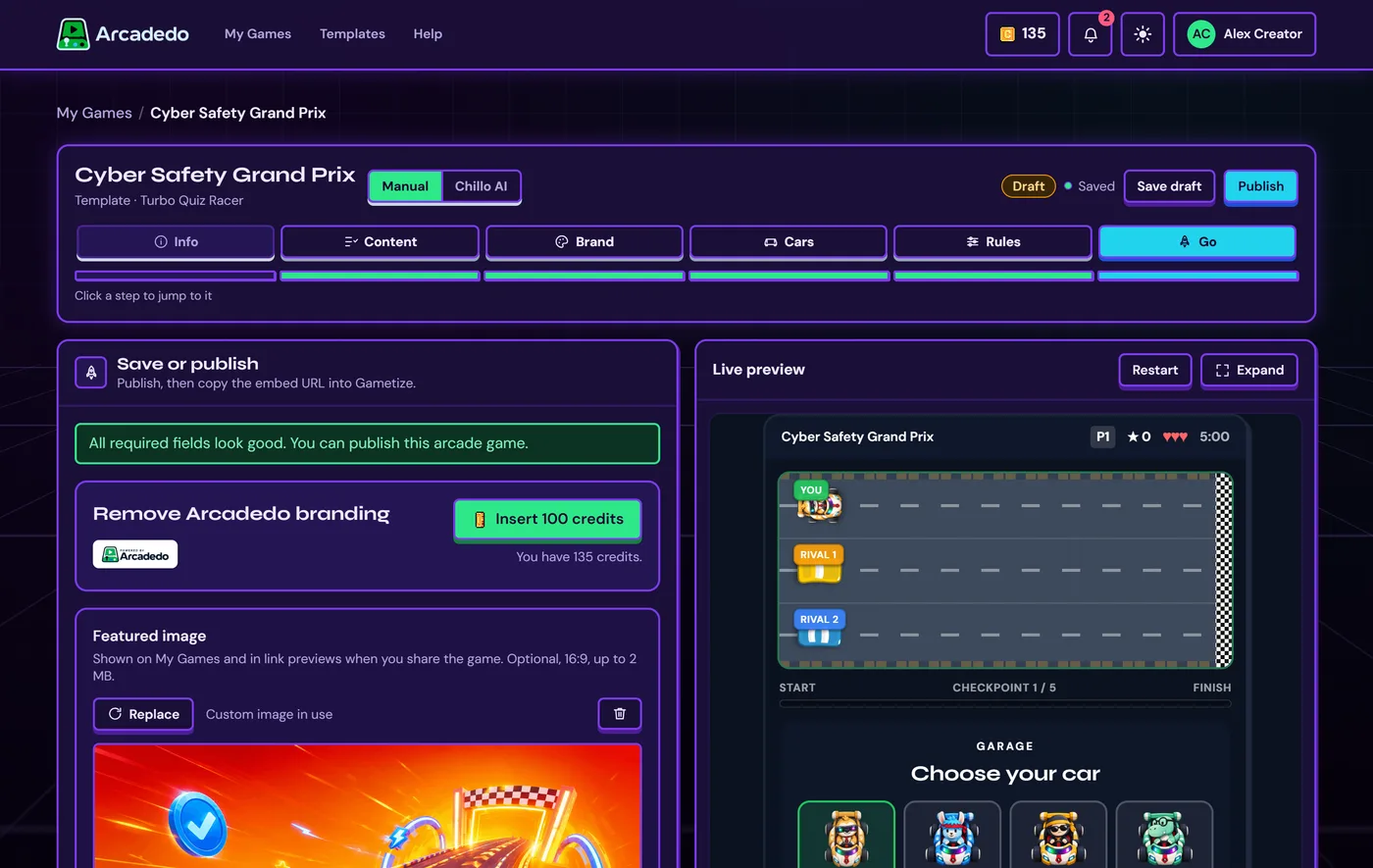
    The Go step with checks, branding removal and featured image
  2. 2

    Click Publish

    It turns green once there is nothing blocking it. Save as draft keeps it private for now.

    Save as draft and Publish buttons
TipYou can keep editing after publishing. Players on the same link get your changes.
PreviousSet up with Chillo AINext Embed in Gametize

Still stuck? Contact the Gametize team.

Arcadedo

Build white-label learning arcade games and embed them straight into your Gametize campaigns.

Create

  • Templates
  • My Games

Learn

  • Blog
  • Articles
  • Product updates

Support

  • Help centre
  • Embed guide
  • Contact us

Legal

  • Terms of Service
  • Privacy Policy

© Copyright 2026 Gametize Pte Ltd. All rights reserved. Made with love in Singapore, Malaysia and Australia

enquiry@gametize.com