Crossword puzzle maker for training: make one people play on their phones
A crossword puzzle maker for training turns your key terms and definitions into a grid people solve. How to choose the terms, write clues that teach, pick the right settings and see which terms people missed.
The Arcadedo team, Gametize
9 min read

A crossword puzzle maker for training turns your key terms and their definitions into a grid people solve. Pick 8 to 12 terms from one module, write each clue as a definition or a work situation, keep answers under 13 letters, and share an online version that checks answers, gives hints and shows which terms people missed.
Most crossword makers in search results produce a printable PDF. That works for a classroom handout, but not for a team spread across sites and shifts, and a sheet of paper cannot tell you which terms people got wrong. This guide covers when a crossword is the right game for training, how to build one that plays on a phone, how to write clues that teach, and how to read the results. For the wider picture, see our guide to gamification in employee training.
What is a crossword puzzle maker for training?
A crossword puzzle maker for training is a tool that takes a list of answers and clues and lays them out as a crossing grid. You supply the vocabulary from your course; the tool works out where each word fits, numbers the clues and, in an online version, checks answers as people type.
The best use is vocabulary: the words people must recognise and recall to do the job. Product names, policy terms, safety equipment, acronyms, internal jargon. A crossword asks people to pull each term out of memory from a clue, which is harder and more useful than recognising it in a list of options.
Do crossword puzzles help people learn?
Yes, when they are used to practise recall of terms people have already met. Each clue is a small memory test, and testing yourself is one of the most reliable ways to remember material. A crossword is a review tool, not a way to teach new content, and the evidence for crosswords specifically is promising rather than settled.
The general principle is strong: people who practise recalling material remember more a week later than people who re-read it (Roediger and Karpicke, 2006). Seeing the right answer straight after a mistake adds to the effect (Butler and Roediger, 2008), which is why a crossword that checks each word as you finish it beats one you mark a week later.
For crosswords themselves, a 2026 study of 211 health administration students found that those who used crossword activities in a medical terminology course scored higher on the final test (Jamal and colleagues, 2026, Frontiers in Medicine). The authors are careful to call this an association, not proof of cause, because students were not randomly assigned. Treat a crossword as one good way to rehearse terminology, alongside the training itself.
Printable or online crossword: which suits training?
Choose a printable crossword for a classroom session where everyone has a pen and you mark the answers together. Choose an online crossword when people learn on their own time, on phones, or across several locations, and when you want to know which terms were missed. Most workplace training today fits the second case.
| Printable crossword | Online crossword | |
|---|---|---|
| Where people play | On paper, in the room | Any phone, tablet or computer |
| Checking answers | Trainer marks, or an answer key | Each word checks itself as it is finished |
| Help when stuck | Ask the trainer | Hints that reveal a letter |
| Pace and challenge | None built in | Clock, points and streaks |
| Results | Collected by hand, if at all | Plays, scores and most-missed terms |
| Changing a clue | Reprint | Edit and republish the same link |
| Branding | A logo on the page | Your logo and colours on the board |
How do you make a training crossword in Arcadedo?
Open the Crossword template, paste your terms and clues one per line, check that every word fits the grid, set the clock and hints, add your logo, and publish. Building and hosting are free, and a ten-word crossword takes about ten minutes once your list is ready.
- Play the sample. Open the Crossword template and try the sample puzzle, a ten-clue teamwork crossword with a five-minute clock and three hints.
- Click Use This Template. You land in the editor with the sample puzzle ready to change.
- Add your answers and clues. In the Clues step, type each answer and its clue, or paste a list with one per line in the form ANSWER - clue. A list copied from two spreadsheet columns works too. You can have 3 to 14 answers of 2 to 13 letters each, and clues up to 120 characters.
- Check the grid. The editor lays the grid out as you type and shows its size. If it says a word is "left out", that answer shares no letters with the others; change it or add a word that crosses it. When every word fits, it says "Everything fits".
- Set the rules. In Rules, choose the clock, points per answer, number of hints and sound. The settings table below gives starting values.
- Brand it. Add your logo, colours and an optional background image (Brand your game).
- Publish and share. Publish from the Go step to get one link that plays in any browser, with no app or account for players (Share your game link).
Spaces, hyphens and accents are dropped from answers, because each square holds one letter. "Fire exit" becomes FIREEXIT. Single words make easier, fairer clues, so prefer them where you can.
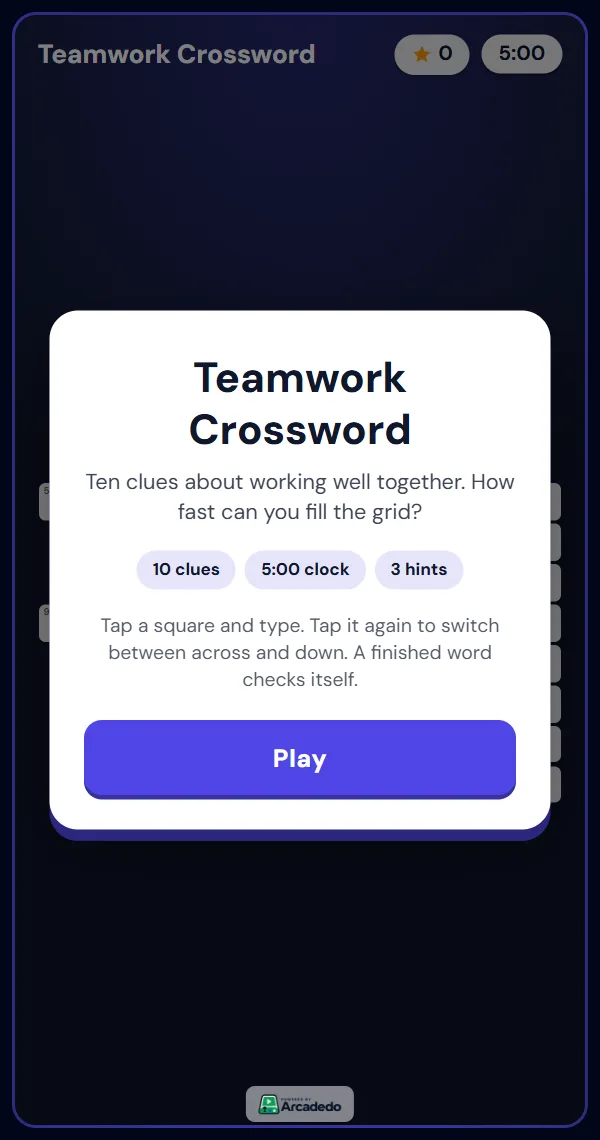
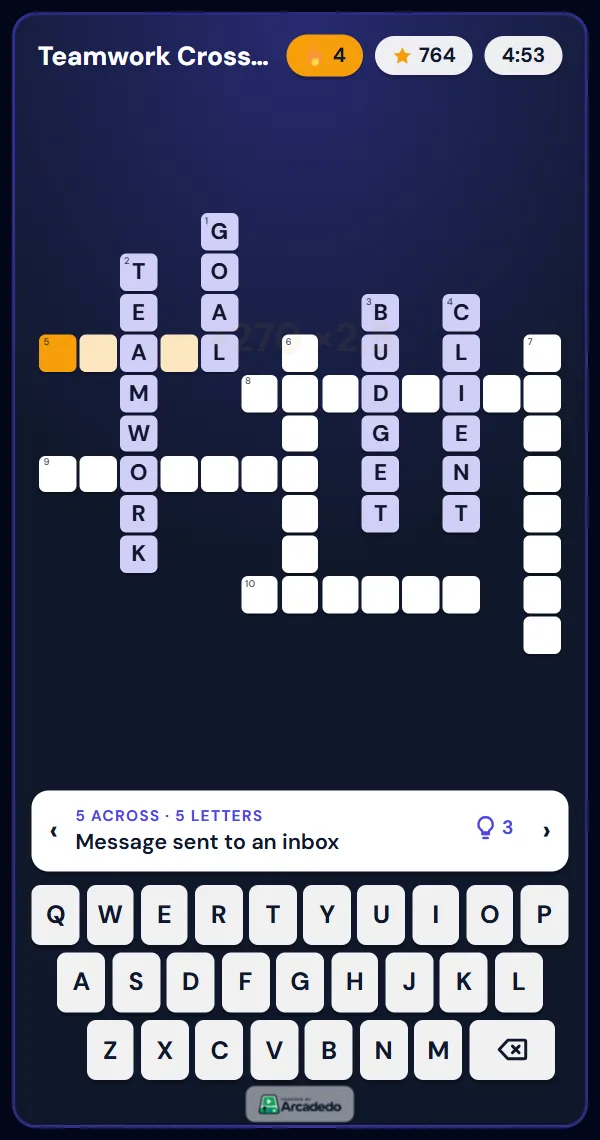
Players tap a square and type, on the on-screen keyboard or a real one. Tapping the same square again switches between across and down. When a word is complete it checks itself: right answers lock in, wrong ones shake so the player can try again.
There is no AI drafting for crossword clues in Arcadedo. AI question drafting works in the quiz templates, such as Turbo Quiz Racer. For a crossword, the term list usually exists already in your course glossary, so pasting it is faster anyway.
How do you write good crossword clues for training?
Write each clue so that someone who did the training can answer it and someone who skipped it cannot guess it. Use the definition you taught, or a short work situation where the term is the answer. Avoid puns, cryptic wordplay and clues that only make sense if you already see the crossing letters.
| Weak clue | Better clue | Why it is better |
|---|---|---|
| Not safe (6) | Report this before anyone is hurt (6): HAZARD | Ties the term to the action you want |
| A type of email (8) | Fake message that asks for your password (8): PHISHING | Tests the meaning, not a category |
| Meeting thing (6) | List of topics you send before a meeting (6): AGENDA | One clear answer, no guessing |
| PPE item | Protects your eyes when cutting or grinding (7): GOGGLES | Uses the situation from the training |
| Our CRM | Where you log every customer call (name of the system) | Fine for internal tools; say what it is for |
A few rules keep a training crossword fair:
- One clear answer per clue. If two words fit, people who know the material still get stuck.
- Use the language of your course. If the training says "near miss", do not clue it as "close call".
- Mix easy and hard. Two or three easy answers give people crossing letters for the harder ones.
- Keep clues short. The clue shows in a bar above the keyboard; one line reads best on a phone.
Many of the same principles apply to quiz questions; our guide on how to write multiple-choice questions covers them in more depth.
How many words should a training crossword have?
Use 8 to 12 answers for a crossword people finish in three to five minutes. Fewer than six makes a small grid with few crossings; more than twelve gets slow on a phone. Pair that with a five-minute clock and three hints, then adjust after the first round of results.
| Setting | Range in Arcadedo | Default | Recommendation |
|---|---|---|---|
| Answers | 3 to 14 | Sample puzzle | 8 to 12 from one module |
| Letters per answer | 2 to 13 | 4 to 10 reads best on a phone | |
| Clock | Off, or up to 15 minutes | 5 minutes | 5 minutes; turn it off for new starters |
| Points per answer | 10 to 300 | 100 | Keep 100 |
| Hints | 0 to 10 | 3 | 3; use 1 for a stricter review |
How scoring works, so you can explain it to players: each solved word scores points, and longer words are worth more. Solving words within 20 seconds of each other builds a streak that multiplies the points, up to three times. Finishing before the clock runs out adds 2 points for every second left. A hint fills in one correct letter of the current word. Players earn up to three stars: three for a clean solve with no hints and at most one wrong attempt.
A player passes when the whole grid is solved before the clock runs out. If you need a stricter bar than that, use a quiz game with a pass score, such as a quiz race.
Which topics work best as a crossword?
Crosswords suit any topic where knowing the right word matters: terminology, product names, equipment and acronyms. They suit decisions and judgement less well, because a clue has only one word as its answer. For "what would you do?" content, use a quiz template instead.
| Topic | Example answers | Good fit? |
|---|---|---|
| Onboarding and company language | AGENDA, BUDGET, DEADLINE, intranet and team names | Yes |
| Product knowledge | Product names, features, plan names | Yes |
| Safety | HAZARD, GOGGLES, EVACUATE, ASSEMBLY | Yes, for equipment and signs |
| Security awareness | PHISHING, MALWARE, FIREWALL, BACKUP | Yes |
| Compliance procedures | "What do you do when…" | Better as a quiz |
| Customer scenarios | Choosing the right response | Better as a quiz or swipe game |
If you want something even gentler for a first week, a Word Search only asks people to spot the words, not recall them. For more first-week ideas, see our onboarding gamification examples, and for a side-by-side of every format, read choosing the right game template.
How do you know the crossword worked?
Check the completion rate and the terms people failed to solve. Each Arcadedo game has an analytics page with plays, players, completion rate, average score and, for the Crossword, a list of the answers most often left unsolved. Those terms are the ones to re-teach or re-clue.
- Most people finish: the puzzle is the right size. Consider a shorter clock or fewer hints next time.
- One answer is often unsolved: either the term was not taught well or the clue is unclear. Read the clue again before blaming the learners.
- Low completion overall: too many words, too short a clock, or answers that are too long. Cut to eight words and try again.
- Reuse it later. Send the same link again a few weeks after the course. Spacing practice out over time improves long-term memory (Cepeda and colleagues, 2008).
Frequently asked questions
Can I make a training crossword for free?
Yes. In Arcadedo, building, hosting and publishing games is free on every account, and the Crossword template is included. Credits are only used for optional AI help in other templates and for removing the small Arcadedo badge.
Can people play the crossword on a phone?
Yes. The grid is sized to fit a phone screen and there is an on-screen keyboard. Players open the link in any modern browser; they do not need an app or an account.
How do I make a crossword from a word list?
Paste the list into the Clues step with one answer and clue per line, such as "AGENDA - List of topics you send before a meeting". The grid lays itself out automatically. If a word cannot cross any other, the editor marks it as left out so you can change it.
Can I print the crossword?
Arcadedo crosswords are built to be played online, where answers check themselves and results are recorded. If you need a paper version for a classroom, a printable crossword maker is the better tool; you can use the same terms and clues in both.