Cybersecurity Awareness Month games: a four-week plan for employees
A four-week plan of short, branded games for Cybersecurity Awareness Month, built on the 2026 themes and the four everyday behaviours: spotting scams, strong passwords, MFA and updates. Which game fits each behaviour, how to build one in an hour, and what to measure.
The Arcadedo team, Gametize
9 min read
The best Cybersecurity Awareness Month games are short, branded games built around the month's four everyday behaviours: recognise and report scams, use strong passwords, turn on multifactor authentication and update software. Run one two-minute game a week through October, explain every answer, add a prize wheel at the kickoff, and read which questions people miss.
Most lists of Cybersecurity Awareness Month ideas stop at the idea: an escape room, a quiz, some prizes. This guide turns them into a plan: what the 2026 themes ask employees to do, which game trains each behaviour, a week-by-week schedule, how to build a branded scam-spotting game in under an hour, and what the research says about awareness training.
What are the best Cybersecurity Awareness Month games for employees?
The best games are short enough to finish on a phone in two or three minutes, built from your organisation's own examples, and focused on one behaviour each. A swipe-to-judge scam game, a quiz where every answer has a consequence, a vocabulary word search and a prize wheel for live events cover the month between them.
| Game | Best for | Time per run | Template |
|---|---|---|---|
| Swipe to judge real or fake | Spotting phishing, smishing and fake login pages | 1–2 minutes | Real or Fake |
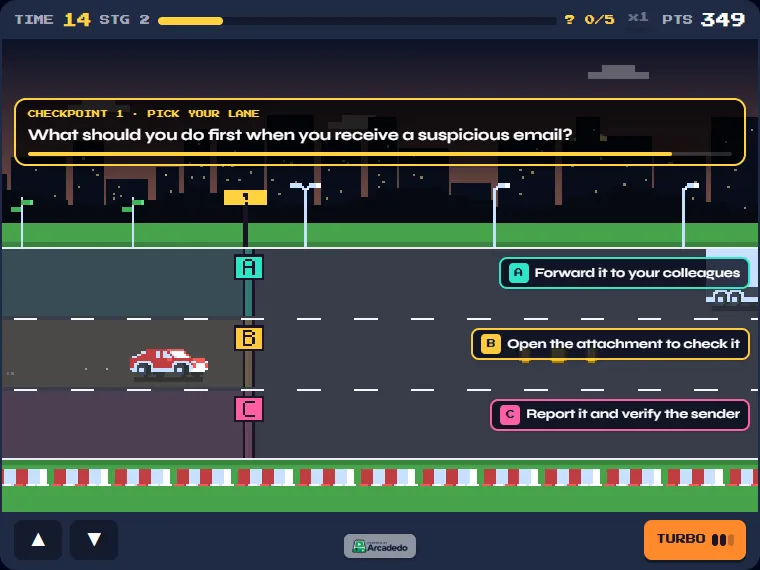
| Highway quiz, lanes are answers | What to do next: report, verify, ignore | 2–3 minutes | Checkpoint Rush |
| Quiz race | Policy recall: who to tell, how fast | 2–4 minutes | Turbo Quiz Racer |
| Word search | Vocabulary for the kickoff week | 2–3 minutes | Word Search |
| Prize wheel | Kickoff events, town halls, booth giveaways | Seconds | Spin the Wheel |
Escape rooms and team quizzes bring energy to a kickoff but reach only the people in the room; a game link also reaches remote and shift staff.
What is the Cybersecurity Awareness Month 2026 theme?
There are two official 2026 themes. CISA's is "Securing the Next 250", tied to the 250th anniversary of the United States. The National Cybersecurity Alliance's is "Don't Make It Easy for Them", about everyday habits that make life harder for criminals. Both promote the same four behaviours for individuals.
The four behaviours, as listed by CISA and the National Cybersecurity Alliance:
- Recognise and report scams, including phishing.
- Use strong passwords, ideally with a password manager.
- Turn on multifactor authentication (MFA).
- Update your software.
These four make a ready-made curriculum: one behaviour per week of October. A plan built on them can be reused next year with fresh examples.
Do security awareness games actually change behaviour?
Not on their own. A large field study at UC San Diego Health, with about 19,500 employees and ten simulated phishing campaigns over eight months, found no significant link between recently completing annual awareness training and failing a phishing test. Embedded training after a click made little difference either, and most people spent a minute or less on it.
The study is by Ho and colleagues, IEEE Symposium on Security and Privacy 2025 (UC San Diego summary; paper).
Three practical conclusions:
- Do not promise a lower click rate. Nobody has shown that a quiz game reduces phishing failures, so keep that out of your business case.
- Make people practise, not watch. Short sessions people only glance at are the weak point the study found. A game asks for a decision on every card and explains the answer, which is more practice per minute than a video.
- Pair the game with controls. Turning on MFA, a password manager and automatic updates protects people even when awareness fails. Use the game to explain why those controls exist, and the report-phishing button to give people something to do.
For how games fit into a wider training programme, see our guide to gamification in employee training.
Which game fits each security behaviour?
Match the format to the skill. Spotting a scam is a split-second judgement, so a swipe game trains it best. Passwords, MFA and updates are about knowing what to do and why, so a quiz where each answer has a consequence fits. Use a word search only for vocabulary, and a prize wheel only for live events.
| Behaviour | What employees should be able to do | Format | Example question or card |
|---|---|---|---|
| Recognise and report scams | Judge an email, text or QR code in seconds; know how to report it | Swipe to judge (Real or Fake) | "Your parcel is held. Pay the 1.99 fee at this link." Fake |
| Strong passwords | Choose a password manager over reuse; spot a weak passphrase | Quiz race (Turbo Quiz Racer) | "Which is safest: one strong password everywhere, a password manager, or a notebook?" |
| Multifactor authentication | Know what to do with an MFA prompt they did not trigger | Highway quiz (Checkpoint Rush) | "Your phone asks you to approve a sign-in you did not start. What do you do?" |
| Update software | Install updates promptly; spot a fake update pop-up | Swipe to judge or quiz | "A website pop-up says your browser is out of date. Download now?" Fake |
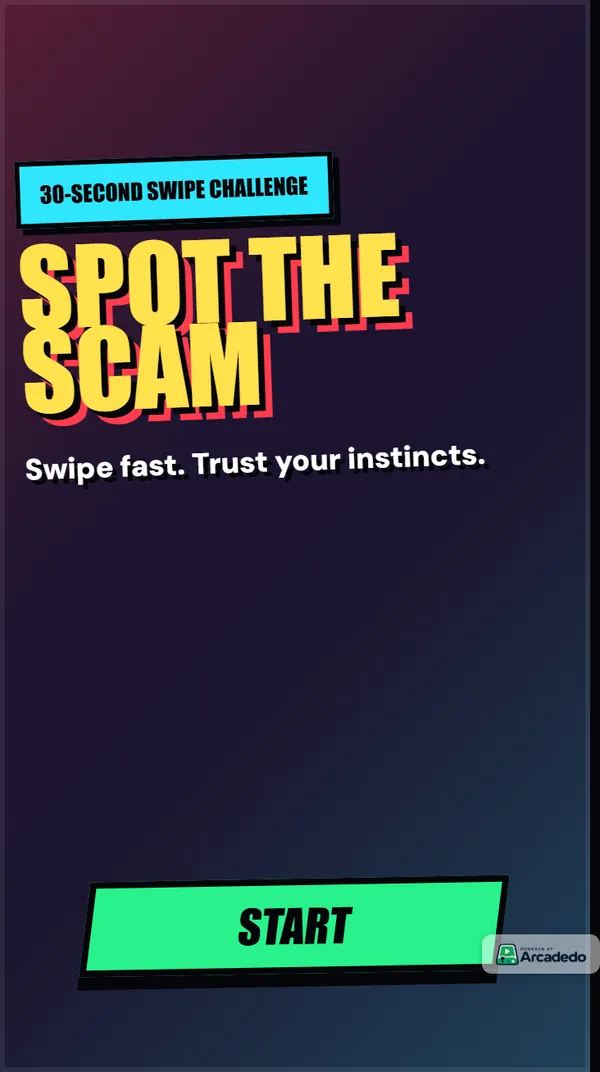
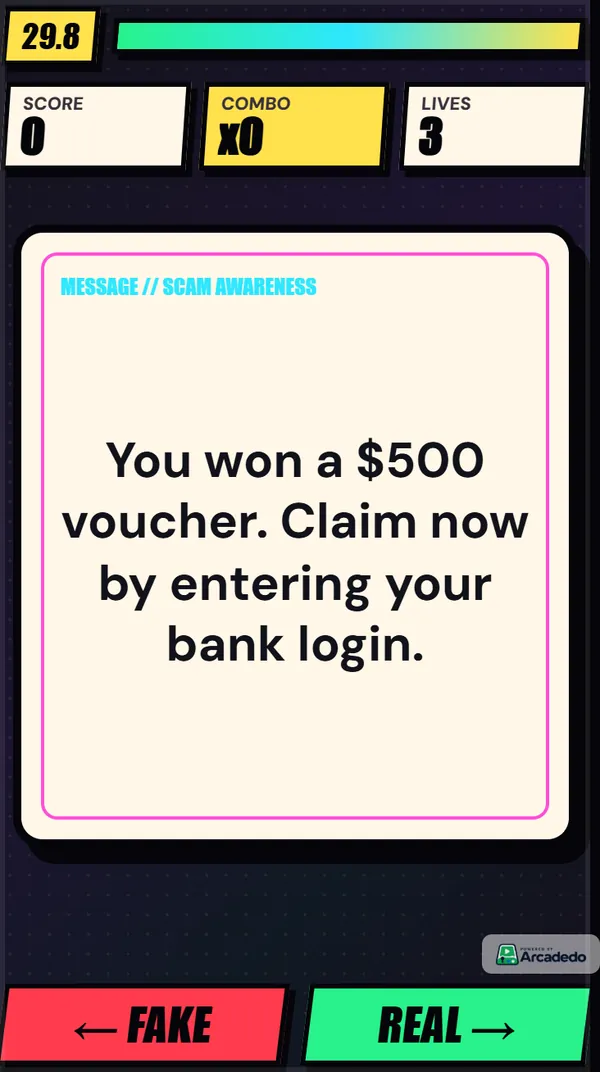
Our guide to cyber security awareness games goes deeper on writing a scam deck: use real lures your security team has collected, mix in genuine messages that look suspicious, and make each explanation point at the clue.
How do you plan four weeks of Cybersecurity Awareness Month games?
Give each week of October one behaviour and one game, and send it on the same day each week. Open with a live kickoff and a prize wheel, close with a replay of the scam game and a short results note. Four games of two minutes each ask for less than ten minutes of anyone's month.
| Week | Behaviour | Game | Live moment |
|---|---|---|---|
| 1 | Kickoff, plus recognise and report scams | Real or Fake scam deck; Word Search with the month's vocabulary | Kickoff call or town hall with a prize wheel |
| 2 | Strong passwords and password managers | Turbo Quiz Racer, five to ten questions | Password manager drop-in session |
| 3 | Multifactor authentication | Checkpoint Rush on MFA prompts and sign-in requests | IT team turns MFA on with people who have not yet |
| 4 | Update software, then a recap | Real or Fake with fake update pop-ups mixed into last month's lures | Results note: the three cards people missed most |
Keep each game to five to ten questions, or up to twenty swipe cards. Short runs get finished and replayed; our guide to how many questions a training quiz should have explains why.
How do you use a prize wheel at the kickoff?
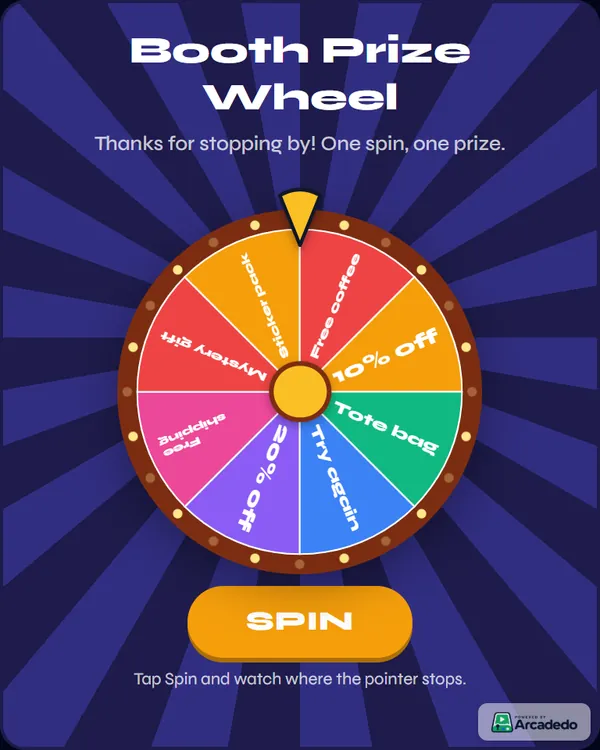
Put a branded Spin the Wheel on the projector at the kickoff, and give a spin to everyone who finishes the week 1 game or reports a real phishing email. Fill the slices with small prizes and security tips. In Rules you set how many spins each player gets, and whether a winner comes off the wheel, which suits a raffle. See Build a Spin the Wheel, or our guide to running a prize wheel at a booth.
For vocabulary, a Word Search with phishing, smishing, vishing, MFA, patch and passkey is a gentle warm-up. Each word is a single word of three to ten letters, up to twelve per board, and analytics show the words players miss most. See Build a Word Search.
How do you build a scam-spotting game in under an hour?
Open the Real or Fake template, write or generate up to twenty cards, mark each one real or fake, add a one-line explanation, brand it with your logo and colours, set a pass score and publish. In Arcadedo that is about an hour with no code, and the link plays on any phone or laptop.
- Collect examples. Ask your security team for reported phishing from the last year: emails, texts, QR codes, fake login pages, urgent requests that claimed to come from a senior leader. Remove names and anything sensitive.
- Open the template. Go to Real or Fake, click Preview & Play to try the sample deck, then Use This Template.
- Write the deck. In the Content step, write each card yourself, or click Generate with AI and upload your guidance as a PDF, Word or text file up to 5 MB. A batch costs 5 credits, refunded if it fails, and every card stays editable. See Add questions or facts.
- Mix real and fake. Include genuine messages that look suspicious, such as the real IT password reminder, so people practise judging rather than rejecting everything.
- Write the explanation. "Fake: the sender's domain is one letter off" teaches the clue; "Fake: this is phishing" does not.
- Brand it. Add your logo and colours so the game is clearly an official exercise and not itself a suspicious link (Brand your game).
- Set the rules and publish. Lives can go from one to five and the per-card timer from off to 20 seconds. Publish from the Go step, then share the link by email, Teams or Slack, or embed it in a Gametize campaign.
Building, hosting and publishing a game is free. Credits pay only for optional extras such as AI drafting and removing the small Arcadedo badge.
What should you measure after the month?
Measure completion, pass rate and the questions people miss most, then act on the misses. Arcadedo's analytics show completion rate, pass rate, average time and the most-missed questions for each game. The most-missed cards tell you which lure fools your people, which is exactly what to brief on next.
What to do with each number:
- Low completion rate: the game is too long or the invitation got lost. Cut the deck and resend from a known sender.
- High pass rate on the first run: the deck is too easy. Swap in harder, more realistic lures.
- A card most people miss: share it in the week 4 results note with the clue explained. That one example teaches more than another policy reminder.
Pair them with phishing reports and the share of accounts with MFA on. Analytics in Arcadedo are anonymous totals and do not record which named employee played, so keep formal training records in your LMS. The same split between practice and record-keeping applies to compliance training games.
What if October is already half over?
Run the plan anyway, starting this week or in November. The behaviours do not expire on 31 October, and a campaign that starts after the inbox fills with other people's awareness emails can stand out. Compress the plan to two weeks: scam spotting first, then passwords and MFA together, with one recap.
Keep the games afterwards: a published game keeps its link when you edit it, so you can swap in new lures each quarter.
Frequently asked questions
What are fun Cybersecurity Awareness Month activities for employees?
A kickoff with a prize wheel, a weekly two-minute game on phones (a scam-spotting swipe deck, a quiz race on passwords, a highway quiz on MFA prompts), a phishing-report contest with small prizes, and a results note on the examples that fooled most people. Mix one live moment with games people can replay.
What is the theme for Cybersecurity Awareness Month 2026?
CISA's 2026 theme is "Securing the Next 250". The National Cybersecurity Alliance's is "Don't Make It Easy for Them". Both promote four behaviours: recognise and report scams, use strong passwords, turn on multifactor authentication and update software.
Can a game replace phishing simulations?
No. Simulations test what people do in a real inbox; a game gives them practice with feedback on every example. Research suggests neither training format reliably lowers click rates on its own, so pair both with controls such as MFA and an easy way to report phishing.
How much does it cost to build a Cybersecurity Awareness Month game in Arcadedo?
Nothing to build, host and publish. Credits pay only for optional extras: 5 credits per batch of AI-drafted questions or cards, and credits to remove the small Arcadedo badge. See how credits work.