Product knowledge training games: how to build one from your spec sheet
How to turn a spec sheet or launch deck into a short product knowledge training game: which facts to drill, how to write the questions, which format fits, and what the results tell you after launch.
The Arcadedo team, Gametize
9 min read

Product knowledge training games are short, replayable games that drill the facts your team needs on recall: features, specs, prices, and which product fits which customer. Build one from your own spec sheet with ten to fifteen questions, an explanation after each answer and a two-minute round, then refresh it at every launch.
Most advice on this topic is either a list of ideas for a facilitated workshop or a case study of a custom simulation that took a vendor months to build. This guide is for the sales, retail or enablement lead in between: you have a spec sheet, a launch date and a team that works on their phones between customers. The examples use Arcadedo templates you can play in your browser before building anything.
What are product knowledge training games?
Product knowledge training games are short games in which sales, retail or support staff answer questions about what you sell: what a product does, who it is for, how it differs from the next model up, and what to say when a customer objects. Each round takes a couple of minutes and can be replayed, and every answer shows a short explanation.
They are a practice tool, not the first lesson. A game works after the team has seen the launch deck, the demo or the product page, when the job changes from "understand it" to "recall it without looking it up". If you are new to the wider idea, start with our guide to gamification in employee training.
Why use a game for product knowledge training?
Use a game because product knowledge is mostly recall, and recall improves with repeated, spaced retrieval. A two-minute game that people replay several times gives far more retrieval practice than a launch deck they read once. The game is the reason to come back; the questions do the teaching.
The evidence for the mechanism:
- Testing beats re-reading. Roediger and Karpicke (2006) found that students who were tested on a passage remembered more of it a week later than students who studied it again (Psychological Science). The study used students and short texts, so treat it as support for the principle, not a sales forecast.
- Spacing holds up at work. A study of more than 10,000 employees doing workplace training found the spacing effect in real-world data: gaps between practice sessions mattered more the further away the test was (Kim et al., 2019, Behavior Research Methods).
You will see vendor case studies that credit a game with a specific rise in sales. Those numbers come from one company, one product range and one custom build. A short game will make your team faster at recalling the range; whether that moves revenue depends on everything else in the sale.
What should a product knowledge game cover?
Cover the facts a customer conversation depends on: who the product is for, the two or three features that matter, how it differs from its neighbours, the price or plan, and the honest limits. Skip anything staff can look up while the customer waits, such as part numbers and full dimension tables.
| Type of fact | Example question |
|---|---|
| Fit: who it is for | "A café owner wants a grinder for 200 cups a day. Which model do you recommend?" |
| Key features | "Which feature lets the X200 run two programmes at once?" |
| Differences in the range | "What does the Pro plan include that Standard does not?" |
| Price and plans | "A customer has a budget of $500. Which bundle fits?" |
| Limits and compatibility | "Which of these phones does the case fit?" |
| Objections | "A customer says it looks expensive. What is the strongest reply?" |
| Care and warranty | "How long is the warranty on the battery?" |
Pick one product line or one launch per game. "The new autumn range" makes a focused twelve-question game; "everything we sell" makes a long one nobody finishes.
Which game format fits product knowledge?
Use a match-3 board when there are many short facts to drill, a quiz race for a launch quiz with a clear pass mark, and a swipe game for true-or-false claims. In Arcadedo that means Star Match, Turbo Quiz Racer and Real or Fake. All three show your explanation after every answer.
| Format | Template | Best for |
|---|---|---|
| Match-3 with questions | Star Match | Many short facts; relaxed, repeated play between customers |
| Quiz race | Turbo Quiz Racer | A launch quiz where everyone answers every question |
| Swipe to judge | Real or Fake | Myths and claims: "This model is waterproof. Real or fake?" |
| Word puzzle | Word Search | Product names and terminology, with no questions to write |
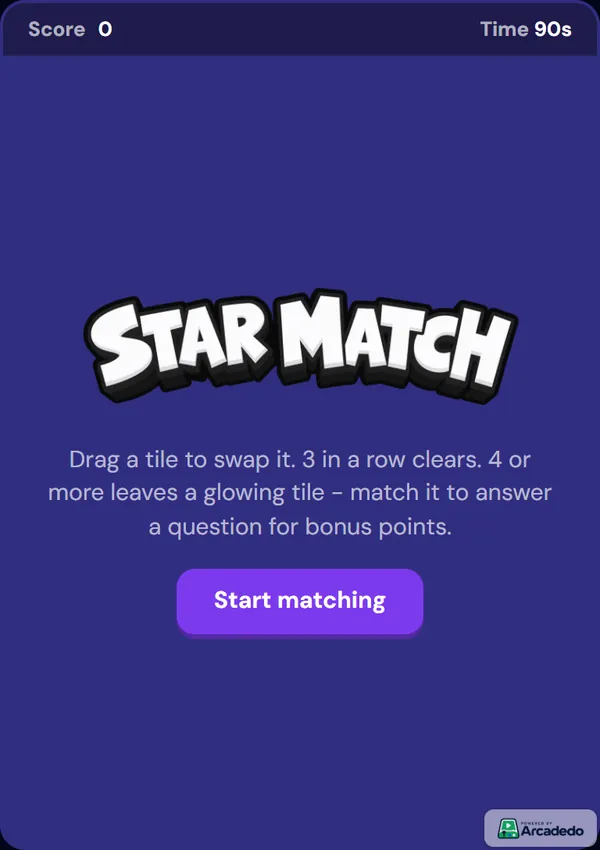
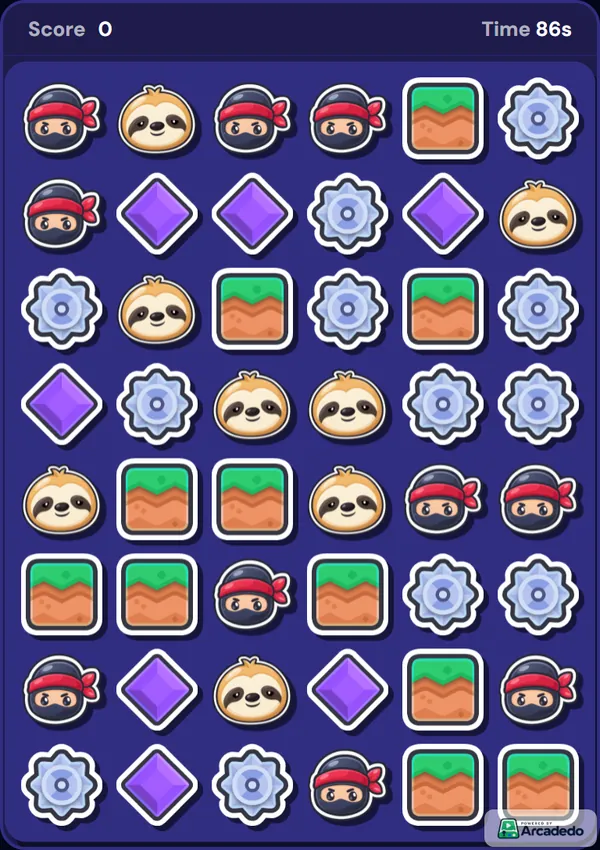
Match-3 (Star Match). Players swap tiles to line up three or more. A line of four or more leaves a glowing tile behind, and matching that tile opens one of your questions for bonus points. If a player goes too long without a glowing tile, the game drops one in, so weaker players still meet the content.
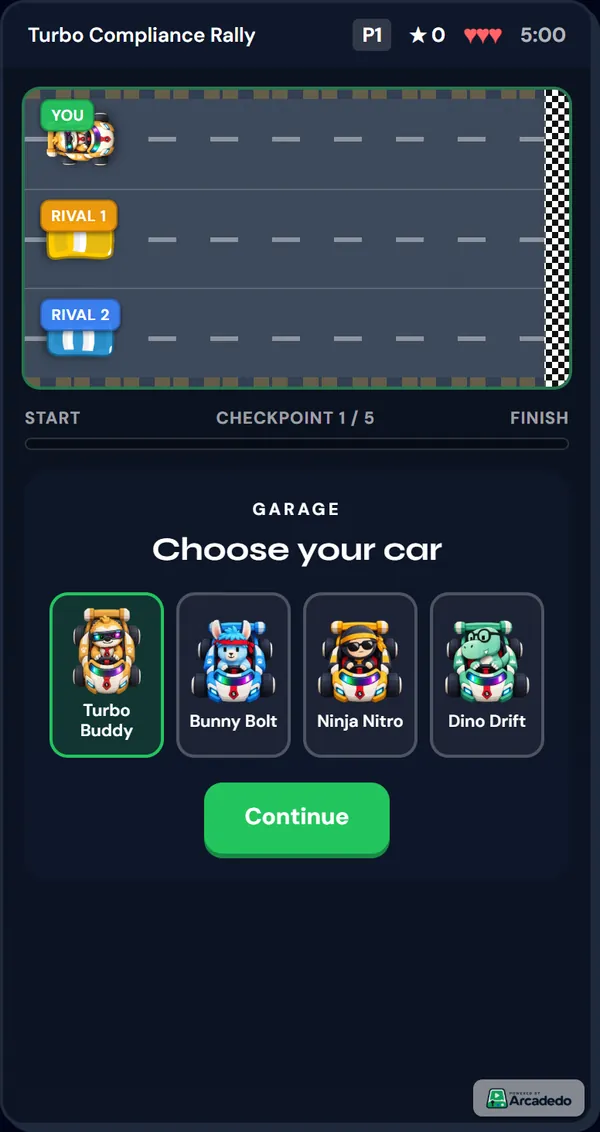
Quiz race (Turbo Quiz Racer). Each correct answer moves the player's car toward the finish; a wrong one costs a life. Choose this when you need every player to see every question, for example a launch-week check.
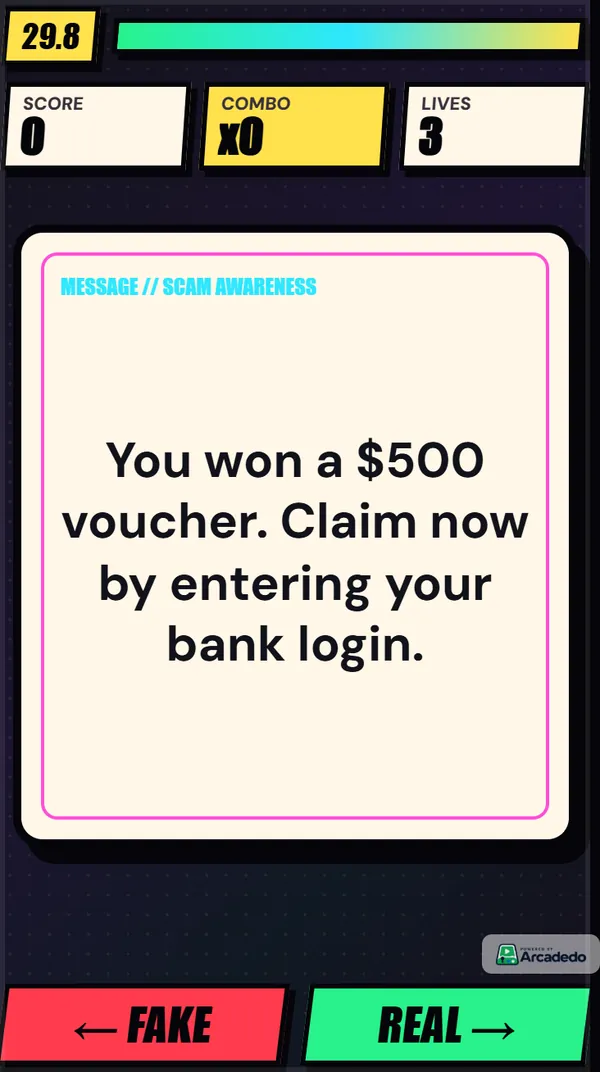
Swipe to judge (Real or Fake). Each card is a claim; players swipe right for real and left for fake. It is the quickest way to correct the myths a team repeats to customers.
Our guide to choosing a game template compares all the formats side by side. For a booth or a customer-facing stand, a prize wheel is usually the better fit; see spin the wheel for trade shows.
How do you build a product knowledge game, step by step?
Open Star Match, add ten to fifteen questions from your spec sheet (typed in, or drafted by AI from the document), write a one-line explanation for each, add your logo and product tiles, set the round length and pass score, and publish. It takes under an hour, needs no code and plays on any phone.
- Pick the product line and the outcome. For example: "Floor staff can match each of the five grinders to the right customer."
- Open the template. Go to Star Match, click Preview & Play to try it, then Use This Template.
- Add the questions. In the Content step, write them yourself, or click Generate with AI and upload the spec sheet or launch deck as a PDF, Word or text file up to 5 MB. Generating costs 5 credits per batch, refunded if it fails. See Add questions or facts.
- Review every question. Check each answer against the current spec and price list. AI drafts are a starting point, not a source of truth.
- Write the explanations. One sentence per question saying why the answer is right, in the words you would want a customer to hear.
- Brand it. Add your logo and colours (Brand your game), then swap the five board tiles and the start-screen title for your own artwork, such as product icons (Change characters and artwork).
- Tune the round. In Settings, a round runs from 60 to 180 seconds (90 by default). Set the points per correct answer, the pass score and how many seconds a player can go before a glowing tile is given.
- Publish and share. Publish from the Go step, then share the link in your team chat or embed it in Gametize.
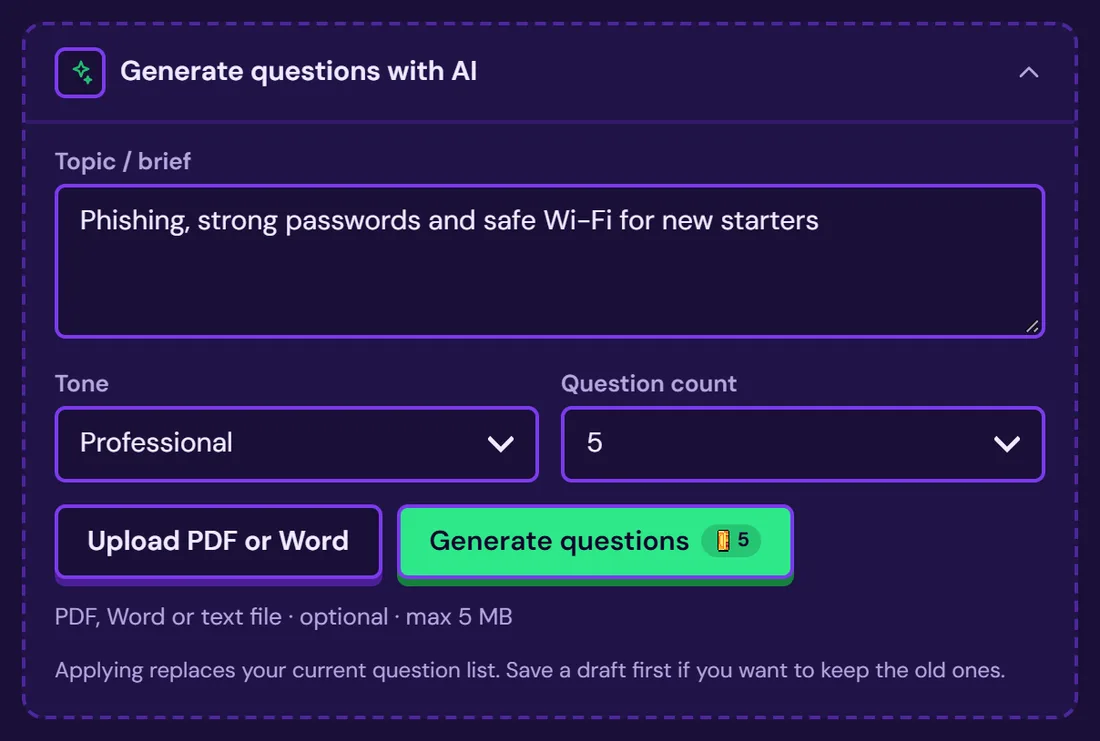
If your source is a long brochure or manual, our guide to turn a PDF into a quiz game covers preparing the file and checking AI-drafted questions in detail.
How do you write product knowledge questions?
Write each question as a customer situation, not a spec lookup. "A customer wants to grind for espresso and filter. Which model?" tests the knowledge the way staff will use it; "What is the burr size of the G3?" tests a number they can read off the box. Draw the wrong answers from the mistakes your team really makes.
A few rules that help:
- One fact per question. If the explanation needs "and also", split it in two.
- Use the other products in your range as wrong answers. That is the confusion you are trying to remove.
- Keep answers short. Star Match shows four options on a phone screen, so aim for a few words each.
- Avoid negatives. "Which model is NOT dishwasher safe?" trips up people who know the range. Ask "Which model is dishwasher safe?" instead.
- Let the explanation carry the sales line. "The Pro adds a second boiler, so milk and espresso run at the same time" teaches more than "Correct!".
How do you roll out and measure a product knowledge game?
Share the game in the week of the launch or briefing, send it again two to four weeks later, and update the questions whenever the range changes. Then read three numbers in the game's analytics: completion rate, pass rate and the most-missed questions. The most-missed questions show which products your team still confuses.
A simple cadence:
- Launch week: the briefing or demo first, then the game link the same day.
- Weeks 2 to 4: a reminder with the same link. Questions are shuffled by default, so a replay is fresh practice, not a memorised order.
- Every launch or price change: edit the questions. A published game keeps its link, so nobody needs a new invitation.
For new starters, add the game to the first-week plan; our list of ways to use arcade games in employee onboarding shows where it fits.
What the numbers mean:
- Completion rate: how many started rounds were finished.
- Pass rate: how many finished rounds reached your pass score.
- Most-missed questions: the facts that have not landed. Fix the question if it is unclear; otherwise fix the briefing.
Arcadedo's analytics are anonymous totals, with players told apart by browser. They show how the content is landing, not which named person passed. If you need a certified score per person, use a plain quiz in your LMS; our comparison of a quiz or a game as a knowledge check explains when each fits.
Frequently asked questions
How do you make product knowledge training fun?
Make it short, replayable and scored. Turn the facts into ten to fifteen questions, put them inside a two-minute game, show an explanation after each answer and share the link where the team already chats. People replay to beat their own score, and each replay is more practice.
How many questions should a product knowledge game have?
Ten to fifteen per game, covering one product line or one launch. That is enough for replays to feel different without turning the game into an exam. For a large catalogue, build one game per range instead of one long game.
Can AI write product knowledge quiz questions?
Yes, as a first draft. Upload your spec sheet or launch deck and AI drafts questions, answers and explanations in seconds. Then check every answer against the current spec and price list, because the AI only knows what is in the file you gave it.
How often should you run product knowledge training?
At every launch or price change, with a refresher two to four weeks later, and once more before peak season. Short, spaced sessions beat one long briefing, and a game link that stays the same makes the refresher a one-line message.
How much does it cost to build a product knowledge game in Arcadedo?
Building, publishing and hosting a game is free. Credits pay only for optional extras: 5 credits per batch of AI-generated questions, 10 credits for an AI-drawn image, and credits to remove the Arcadedo badge. See how credits work.